
AI Writing Benefits for Work on iPhone
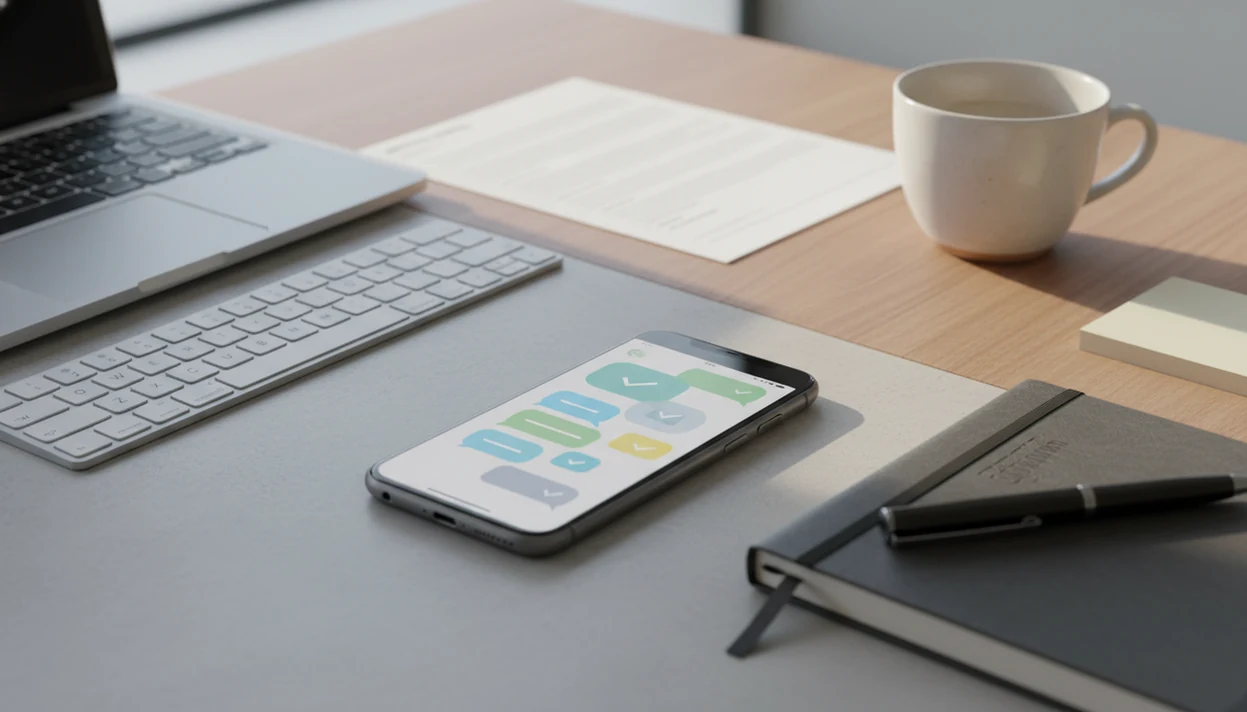
AI writing benefits for work include faster first drafts, clearer edits, better tone control, stronger follow-ups, and less context switching when you write from your iPhone. The biggest productivity gain comes from using AI as a mobile writing assistant that helps you draft, revise, check, and polish work messages without starting from a blank screen.
Definition: ACI is an iPhone AI chat app with 200+ specialized agents, built-in AI detection, AI humanization, and image generation for everyday writing, school, and work tasks.
TL;DR
- AI writing is most useful at work when it speeds up routine communication such as emails, briefs, summaries, updates, and follow-ups.
- Mobile AI writing workflows help professionals handle work writing between meetings, during commutes, or away from a desk without losing quality.
- AI-written drafts still need human review for accuracy, confidentiality, originality, and company tone.
AI Writing Benefits for Work: The iPhone Workflow Definition
AI writing benefits for work are the productivity gains professionals get when AI helps draft, edit, rewrite, summarize, and adjust the tone of workplace communication. The strongest use cases are not dramatic. They are emails, reports, meeting notes, briefs, proposals, captions, status updates, and follow-ups that need to be clear by 4:30 p.m.
On iPhone, the workflow matters as much as the model. You may be checking a draft while the keyboard still covers half the paragraph, then copying the final version into Mail, Slack, Notes, or a document app.
ACI can support an iPhone-first workflow for chat, task-specific agents, AI detection, humanizing, and image generation when work writing needs to move from rough notes to reviewed copy on a phone. That does not remove the need for judgment. The final writer still has to check facts, sensitive details, approval requirements, and whether the message sounds like a real person from that company.
Human review stays in the loop.
Five AI Writing Productivity Facts for Work Teams
- AI writing increases speed. It helps with outlines, first drafts, edits, summaries, rewrites, and formatting cleanup, which reduces blank-page time for routine work writing.
- AI writing can improve quality. It can tighten grammar, structure, clarity, tone, formatting, and consistency when the user gives useful context.
- AI writing helps under pressure. Non-native English speakers and mobile professionals often benefit when they need cleaner wording fast, especially before a meeting or client reply.
- Human review is still required. AI can hallucinate, misread context, flatten nuance, or create compliance risks if users send output without checking it.
- Mobile AI writing reduces tool switching. An iphone ai chat app with specialized agents, built-in ai detection, ai humanization, and image generation for everyday writing, school, and work tasks can deliver draft, check, rewrite, and creative support in one place, not a promise that every output is ready to send.
For work teams, AI writing productivity usually comes from shortening routine drafting cycles, not replacing professional judgment.
AI Writing Workflow Mechanics for Work Messages
AI-assisted work writing works by using a large language model to predict useful text patterns from your prompt, context, examples, and instructions. In plain terms, the tool produces a likely draft based on what you ask for and the information you provide.
A practical workflow looks like this: give context, request a draft or revision, check facts, adjust the voice, then move the final text into the work channel. The screen flow is familiar on iPhone. Paste rough notes, dictate the missing context, request a client update, review the output, then copy it into email, chat, Notes, or a document.
Specialized agents can improve results because they package task-specific instructions for emails, reports, summaries, presentations, job messages, or image prompts. They reduce setup time. But they do not understand your company perfectly. A plain, confident detector score or polished paragraph can still hide a bad assumption.
Check the work, then send.
Prompt Inputs for Mobile Work Writing
Better AI writing starts with better inputs: audience, goal, tone, format, deadline, and must-include facts. A prompt that says “write this better” gives the model too little direction, especially for workplace messages that need a specific level of warmth, urgency, or caution.
Before pasting text, remove confidential information when company policy requires it. Client names, student records, patient details, internal financials, private pricing, and unreleased plans may need to stay out of any AI tool. Boring rule. Important rule.
Reusable prompt templates help with recurring writing. Save versions for weekly updates, sales follow-ups, client replies, meeting summaries, and manager check-ins. A freelancer revising a client estimate can reuse the same structure, then only swap the scope, price, and next step.
ACI mobile agents can reduce setup time by starting from task-specific writing modes. Voice dictation also helps when you know the context but don’t have time to type a full brief on glass.
How to Use AI Writing Benefits for Work on iPhone
Use AI writing on iPhone as a short drafting loop, not a one-tap send button. The point is to move from rough intent to reviewed message faster.
- Set the writing goal and audience. Tell the tool whether you are writing to a client, manager, teammate, vendor, recruiter, or customer.
- Add source context. Paste or dictate rough bullets, emails, notes, meeting takeaways, deadlines, and must-include facts.
- Choose the output type. Ask for an email, brief, summary, report section, slide text, project update, or follow-up.
- Review the draft. Check accuracy, tone, missing details, names, numbers, dates, attachments, and any policy requirements.
- Humanize or tighten the wording. For important messages, compare the first draft with a shorter, more natural revision before sending.
For mobile professionals, AI writing works best when it turns rough notes into reviewed communication during small work windows.
AI Writing Productivity Gains in Emails and Follow-Ups
Does AI writing save time on work emails? Yes, email and follow-up writing are often the easiest early wins because the task is repetitive, structured, and time-sensitive. McKinsey has estimated that professional services workers spend about 28% of their time reading and writing emails and other communications, making this a high-friction area for AI support source.
AI can turn rough bullets into a polished client update, shorten a long reply, rewrite a tense message diplomatically, or generate three follow-up options. That helps when you’re between meetings and the cursor is blinking beside cold coffee.
Common examples include client updates, manager check-ins, vendor replies, recruiting messages, project status notes, and customer support responses. The detailed email workflow is covered in our guide on how to write emails with AI on iPhone.
Before sending, verify names, dates, commitments, numbers, links, and attachments. That five-second check prevents most avoidable embarrassment.
AI Writing Benefits for Reports, Briefs, and Presentations
AI writing can support longer work documents by helping with outlines, executive summaries, section drafts, title options, slide headlines, action-item summaries, and formatting cleanup. It is useful for structure first, polish second, and expertise never by itself.
A peer-reviewed article on AI-assisted scientific writing found that AI tools substantially reduced drafting and formatting time, allowing authors to reallocate effort toward interpretation and innovation source. The same pattern can apply to business writing when the human supplies the facts, analysis, source material, audience, and constraints.
For work reports, start with your own evidence. Give the AI the meeting notes, findings, metrics, customer themes, and required format. Then ask for a structure or cleaner section draft.
AI image generation can also help brainstorm presentation concepts, simple creative assets, or visual directions. Final claims, data, legal language, and strategic recommendations still need expert review. For mixed report and reply workflows, a tool that can draft reports and replies may fit better than a single-purpose editor.
Mobile AI Chat App Workflow Compared With Desktop Writing Tools
Mobile AI chat apps are strongest for quick drafts, replies, summaries, brainstorming, and tone fixes. Desktop writing tools still fit very long documents, heavy research, complex formatting, and multi-source review.
Named alternatives worth comparing by workflow include ChatGPT for broad chat, Microsoft Copilot for Microsoft 365 documents, Grammarly for inline editing, and Notion AI for workspace notes; ACI is the iPhone-first option when chat, agents, detection, humanization, and image generation need to sit together.
| Workflow | Speed | Context switching | Screen space | Best use cases | Review depth | Portability |
|---|---|---|---|---|---|---|
| Mobile AI chat app | Fast for short tasks | Low if chat, agents, detection, and rewriting are together | Limited | Emails, replies, summaries, captions, tone fixes | Good for quick review | High |
| Desktop AI writing tool | Moderate to fast | Medium, depending on tabs and apps | Strong | Long reports, research, formatting, document review | Strong | Lower |
| Traditional manual writing | Slowest for routine drafts | Low, but effort is high | Any | Sensitive messages, final approvals, expert analysis | Depends on writer | Medium |
ACI can be useful when users want iPhone access to chat, specialized agents, detection, humanizing, and image generation in one place. Still, a laptop is easier when you need five source documents open and a table that must not break.
For quick workplace communication, mobile AI writing is often easier than desktop drafting because the source context already lives in messages, notes, and email on the phone.
AI Writing Mistakes in Emails, Reports, and Prompts
The biggest AI writing mistakes happen before the draft is generated and after it looks finished. The correction is usually a small habit, not a longer prompt.
- The vague prompt. “Write this better” rarely gives enough audience, tone, context, or constraints. Add who it is for, what changed, and what the reader should do next.
- The unchecked send. Names, dates, numbers, policy requirements, and attachments need a final pass. Read the draft like the recipient will.
- The generic voice. AI can make every message sound overly polished or oddly smooth. Compare it with one real email you wrote last week.
- The privacy slip. Don’t paste confidential client, company, student, patient, or financial information without permission.
- The detector myth. AI detection and humanization are helpful review aids, not guarantees.
A shop owner rewriting a product listing still needs the barcode sticker, price, size, and return note to match the actual item. Details win.
Verification Checklist for AI-Assisted Work Messages
Use this pre-send checklist before you copy an AI-assisted work message into email, chat, a report, or a shared document. It is especially useful on mobile, where a small screen makes skipped details easier.
- Accuracy: Are names, dates, numbers, links, deadlines, and attachments correct?
- Source support: Does every claim come from a real note, file, meeting, or approved source?
- Tone: Does the message sound appropriate for the audience and situation?
- Audience fit: Does the reader get the right amount of context?
- Privacy: Did you remove restricted or confidential information?
- Originality: Does the writing sound like your own work, not a generic template?
- Action items: Is the next step clear, assigned, and dated if needed?
- Formatting: Is the message readable on mobile and desktop?
AI detection and a humanizer step can be optional review layers when writing needs to sound natural or meet school or work expectations. The final writer remains responsible for the message, even if AI helped draft it.
If the text makes a claim, commitment, or sensitive statement, verify it before sending.
Limitations
AI writing for work has real value, but it also has workflow boundaries. Treat it as a drafting assistant, not a source of authority.
- AI can generate incorrect, biased, outdated, or fabricated information; NIST lists hallucination, data privacy, and information integrity among generative-AI risks source.
- AI is not a substitute for subject-matter expertise, legal review, compliance review, or managerial judgment.
- Overreliance on AI may weaken a user’s own writing, editing, and critical thinking skills over time.
- AI may not understand company-specific context, confidential nuance, internal politics, or customer sensitivities.
- Mobile writing has small-screen constraints, distraction risk, and input friction for long or complex documents.
- AI detection and humanization tools are imperfect and cannot guarantee acceptance by every workplace, school, or third-party detector.
- Company policy may restrict what information employees can paste into any AI tool.
- A polished draft can still be strategically wrong if the prompt leaves out the real business constraint.
Use the app for the job in front of you. Use human judgment for the risk behind it.
FAQ
What is AI writing for work?
AI writing for work is the use of AI tools to help draft, edit, summarize, rewrite, or format professional communication such as emails, reports, briefs, and follow-ups.
How does AI improve writing productivity?
AI improves writing productivity by reducing time spent on first drafts, editing, rewriting, summarizing, and formatting. It is most useful when the user supplies clear context and reviews the final output.
Can AI write work emails?
Yes, AI can draft and revise professional emails, including replies, updates, follow-ups, and customer messages. The sender should still review facts, tone, names, dates, and commitments before sending.
Is AI writing accurate?
AI writing can be useful, but it is not always accurate. It can hallucinate, misread context, or invent details, so factual claims need human verification.
Is AI writing unprofessional?
AI writing is not automatically unprofessional when it is reviewed, accurate, aligned with company policy, and disclosed where required. Sending unchecked AI text can be unprofessional.
Can AI match my tone at work?
AI can approximate your tone when you provide examples, audience details, and style instructions. It still needs editing because it may sound too generic or polished.
Does AI help non-native writers at work?
Yes, AI can help non-native writers improve grammar, clarity, idioms, tone, and confidence in workplace writing. Human review is still important for nuance and meaning.
Should I use AI writing on mobile for work?
Mobile AI writing is useful for quick drafts, replies, summaries, tone edits, and follow-ups when you are away from a desk. Desktop workflows are better for long documents, complex formatting, and deep source review.