
Creator AI Workflow Before And After Examples
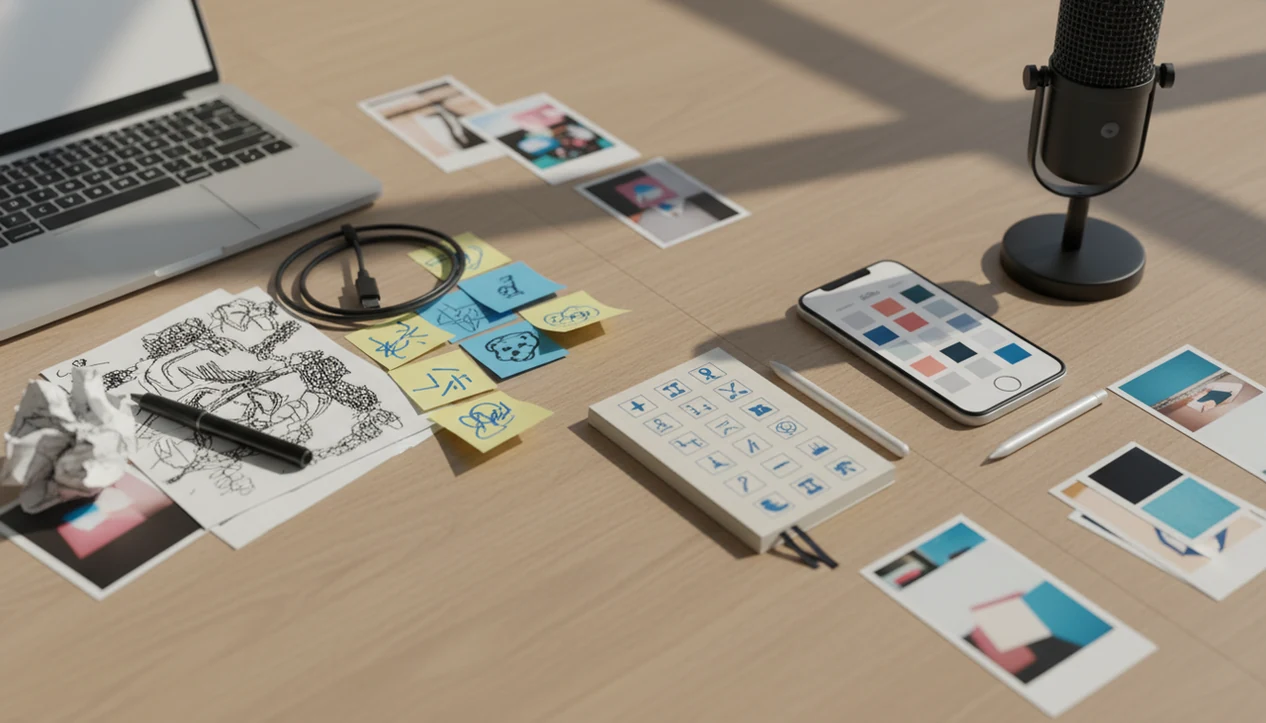
Creator AI workflow before and after examples show the biggest change clearly: creators move from manual drafting and scattered editing to prompting, reviewing, refining, and publishing with human judgment. The strongest results usually come from using AI for first drafts, caption options, image ideas, and polish, then checking the final output for voice, accuracy, and context.
> ACI is an iPhone AI chat app with specialized agents, built-in AI detection, AI humanization, and image generation for everyday writing, school, and work tasks.
- AI improves creator workflows most when it handles repetitive drafting, caption variation, and rewrite passes.
- Before-and-after results should show the full path from idea to final post, not only a single rewritten sentence.
- Human review is still required because AI can sound generic, miss context, or create inaccurate image and text details.
6-part creator AI workflow before and after method
A creator AI workflow before and after comparison should measure the whole content path, not just one prettier caption. The before state is usually manual brainstorming, caption writing, image planning, editing, and final review spread across Notes, camera roll, browser tabs, and scheduling tools.
The after state changes the order of work: prompt, draft, generate or concept an image, rewrite, humanize, detect when useful, then complete a final human review. That shift matters because the creator spends less time staring at a blank caption box and more time choosing, cutting, and correcting.
A content calendar screenshot on iPhone tells the story fast.
In this article, the examples measure speed, clarity, caption quality, image usefulness, and editing effort. They do not claim AI replaces creators. Tools like ACI fit this iPhone workflow by putting chat, agents, AI detection, humanizing, and image generation in one place for draft-and-review work.
How creator AI workflows work
Creator AI workflows work by turning a creator’s instructions into draft material, then routing that material through human review before anything goes live. The prompt gives the model the audience, platform, tone, goal, and constraints, so the output is shaped for a TikTok hook, email intro, product caption, image concept, or longer script instead of a generic answer.
From there, the AI acts like a fast variation engine: it can produce outlines, caption options, rewrite angles, visual prompts, and cleaner versions of rough notes. That speed mainly improves the drafting and ideation stage. Final approval still takes human time because someone has to check accuracy, brand voice, audience context, rights concerns, image details, and platform fit. ACI keeps the practical pieces closer together on iPhone by combining chat, specialized agents, humanization, AI detection, and image generation in one workflow, so creators can move from idea to review without rebuilding the same context in separate tools.
7-step creator AI workflow before and after loop
AI changes creator work by acting as a draft-and-variation engine. In plain terms, a large language model predicts useful text, structure, tone, and visual prompt patterns from your instructions, then gives you options to compare.
The working loop is simple: prompt, generate, compare, refine, humanize, check, publish. It feels different from manual production because the creator is no longer writing every first version from scratch. The job becomes direction and selection. A stiff sentence marked for rewriting is often the first useful signal, not a failure.
Research backs the time-saving pattern, with limits. In controlled writing tasks, generative AI users completed work about 40% faster and improved quality by about 18% on average. The same NBER paper also reported that ChatGPT access increased productivity by 14% on average for customer support professionals source.
For creators, AI usually works best when the goal is clear, while manual review fits moments where taste, accuracy, and audience context matter most.
5-step AI creator workflow for captions, images, and polish
Use this AI creator workflow when one post needs captions, image ideas, and final polish without bouncing through three separate tools. It works especially well when you already know the topic but need sharper options.
- Set the content goal, audience, platform, and desired tone before asking for any draft.
- Draft the rough idea or paste existing notes into the AI chat app, even if the wording is messy.
- Generate caption options, hook options, image prompts, or visual concepts for comparison.
- Review, fact-check, humanize, and adjust wording for brand voice before you save anything.
- Run a final quality check before publishing, including AI detection when appropriate.
A tone tweak before sending an estimate uses the same pattern: clarify the purpose first, then ask for alternatives. Creators who need a wider mobile setup can compare this process with an AI chat app for creators.
AI caption before and after example for a social post
AI caption before and after results improve most when the creator asks for options, rejects weak lines, and edits the winner. The gain comes from variation and review, not from accepting the first output blindly.
Before caption draft
| Version | Caption |
|---|---|
| Manual draft | “New video is up about how I plan my week and stay organized with content. I talk about planning and keeping track of everything. Watch if you want to be more organized.” |
After AI-assisted caption
| Version | Caption |
|---|---|
| Edited AI-assisted draft | “I stopped planning content from memory. In today’s video, I show the 3-list system I use to turn loose ideas into posts, scripts, and deadlines. Save this if your drafts app is starting to look like a junk drawer.” |
The after version has a clearer hook, a specific promise, and a platform-friendly call to action. Still, AI caption before and after examples can drift into generic creator-speak. The fix is adding your own phrase, product detail, or audience pain point. For caption-only workflows, the best AI app for social captions guide goes deeper.
AI creator workflow results for image ideas and visual prompts
AI creator workflow results for visuals are strongest at the concepting stage. Before AI, creators often search references manually, write vague creative directions, or delay the post because the visual idea is still foggy.
Before visual planning
| Stage | Common before state |
|---|---|
| Reference search | Twenty saved posts, no clear direction |
| Creative note | “Make it clean, bright, and modern” |
| Production blocker | Unsure whether the post needs a photo, graphic, or generated visual |
After AI image prompting
| Stage | Common after state |
|---|---|
| Prompt | “Minimal desk setup, warm afternoon light, creator planning short-form videos, muted beige and black palette” |
| Variations | Product flat lay, behind-the-scenes shot, thumbnail concept |
| Review | Pick usable direction, then correct details manually |
Generating a new image is not the same as polishing an existing one. Image generation creates a fresh visual from a prompt; polishing edits or improves a current asset. AI image tools can struggle with exact text, precise logos, consistent characters, hands, faces, and strict brand rules. For combined visual and caption planning, a tool that can generate captions and images is often easier than separate browser tabs because the post context stays in one thread.
Creators often split this work across ChatGPT for text, Canva for layouts, Midjourney or Adobe Firefly for image concepts, and CapCut for short-form edits; the tradeoff is that context can get lost as the idea moves between tools.
Creator AI workflow before and after polishing a rough draft
A creator AI workflow before and after draft edit should show cleaner structure, not just fancier words. The goal is to make the piece easier to read while keeping the creator’s point intact.
Before rough creator draft
| Version | Draft |
|---|---|
| Rough draft | “This product is really useful for people who are busy and have lots of stuff to do because it helps keep things together and makes your setup feel better and more organized.” |
After AI rewrite and human review
| Version | Draft |
|---|---|
| Edited draft | “Built for busy workdays, this organizer keeps cables, notes, and daily essentials in one place so your desk feels calmer before the first task starts.” |
The second version cuts repetition, adds concrete details, and reads more like creator copy. Humanization can improve rhythm and readability, but it does not guarantee originality, accuracy, or undetectability. On iPhone, ACI can support rewriting, humanizing, and AI detection as part of a mobile workflow, especially when the keyboard still covers half the paragraph and you need one more pass before posting.
A good iPhone AI chat app with specialized agents, built-in AI detection, AI humanization, and image generation can speed up draft-to-review workflows, but it cannot guarantee originality, perfect brand judgment, or detector-proof content.
5 AI creator workflow metrics that matter most
The most useful AI creator workflow metrics combine time saved with quality checks. Final publishing time may not drop as much as drafting time because approval, fact-checking, and platform review still take human attention.
- Faster first drafts: AI reduces blank-page time by turning a rough idea into usable starting copy.
- More caption options: creators can compare hooks, tones, and lengths before choosing one.
- Clearer structure: AI can reorganize loose notes into a post, script, listing, or email.
- Easier visual ideation: prompt variations help creators test styles before making or commissioning assets.
- Fewer low-value rewrite rounds: early cleanup happens faster, but the final voice pass still matters.
The adoption curve is also real. McKinsey reported in 2024 that 65% of respondents said their organizations regularly use generative AI source. Pew Research Center reported that 23% of U.S. adults had used ChatGPT as of early 2024, up from 18% in 2023 source.
AI creator workflow quality checks before publishing
AI creator workflow quality checks are the review layer that keeps fast content from becoming careless content. Public-facing, school, and work drafts need stricter review than casual personal notes because mistakes travel farther.
- Accuracy check: confirm names, prices, claims, dates, and product details against the source material.
- Brand voice check: replace generic AI phrasing with language your audience already associates with you.
- Source check: add a source note when the content includes facts, claims, or research.
- Image detail check: inspect faces, hands, logos, text, packaging, and background objects.
- Platform fit check: adjust length, hook style, hashtags, and formatting for the channel.
Research on large language models has found they can produce relevant text quickly, but accuracy varies by task and still needs human checking. AI detection has the same boundary. Treat a detector score as a signal, not a final verdict. That awkward confident score often just means the writing is plain and formulaic.
For platform-specific scripts, AI chat for YouTube scripts follows the same check, rewrite, compare, and clarify pattern.
Limitations
AI workflow gains are real, but they are uneven. The before-and-after examples often show speed improvements more clearly than quality improvements.
- AI captions can sound repetitive, overly polished, or off-brand when prompts are vague.
- AI image tools may fail on exact branding, precise text in images, hands, faces, or consistent character details.
- Humanization tools can improve readability but do not guarantee originality, accuracy, or undetectability.
- Built-in AI detection is imperfect and should not be treated as definitive proof.
- Before-and-after examples may show speed gains more clearly than quality gains.
- AI speeds up first drafts more than final approval, fact-checking, and publishing.
- Creators still need judgment, taste, audience knowledge, and platform context.
- A product listing with barcode stickers beside the phone still needs the seller to confirm size, material, and shipping details.
Use the app for the job in front of you. For commerce-heavy copy, AI chat for Etsy sellers needs more product verification than a casual caption draft.
FAQ
What is an AI creator workflow?
An AI creator workflow is a repeatable process for using AI to draft, revise, generate visuals, and review content. It usually includes prompting, editing, fact-checking, and final human approval.
Do AI captions perform better?
AI captions can be clearer and faster to produce, but performance depends on the platform, audience, topic, and editing quality. A strong human edit often matters more than the first AI draft.
Can AI replace content creators?
AI can assist with repetitive drafting, variations, and polish. It does not replace taste, strategy, lived experience, audience knowledge, or final judgment.
How fast is AI content creation?
AI often speeds up first drafts significantly. Review, brand approval, image checks, and publishing still take human time.
Are AI images ready to post?
Some AI images are usable after review. Creators still need to check image details, brand fit, text accuracy, rights concerns, and platform rules.
Should creators use AI detection?
AI detection can be one quality signal before publishing or submitting text. It should not be treated as a definitive judgment.
How do creators humanize AI text?
Creators humanize AI text by adding personal details, brand voice, sharper examples, and manual edits. Apps such as ACI can help with a humanizer step, but the creator still needs to approve the final wording.