
AI Chat App vs ChatGPT for iPhone Writing

AI Chat is the better fit when you want iPhone writing workflows with agents, AI detection, humanizing, and image generation in one app; ChatGPT is the better fit when you want a broad general-purpose assistant. This AI Chat app vs ChatGPT comparison comes down to workflow fit, not just which chatbot sounds smarter.
> Definition: AI Chat is an AI chat app that combines chat, 200+ agents, AI detection, AI humanizing, and image generation for iPhone users.
- Choose AI Chat for iPhone-first writing, checking, humanizing, agents, and image tasks in one mobile workflow.
- Choose ChatGPT for broad conversation, general reasoning, open-ended research, and flexible back-and-forth drafting.
- Do not treat AI detection, humanizing, or chatbot output as proof of accuracy, originality, or authorship.
AI chat app vs chatgpt, side by side
Side-by-side captures of the compared products. Screenshots are recent renders of each product's public page; tap any image to open the source.

AI Chat app vs ChatGPT at a glance
There is no universal winner in AI Chat app vs ChatGPT. The better choice depends on whether you need a broad chatbot or a bundled iPhone workflow with writing, checking, and creative tools.
| Use case | Better fit | Why it matters on iPhone |
|---|---|---|
| General chat | ChatGPT | Strong for open-ended questions and long refinement loops. |
| Task-specific agents | ACI | Useful when you want a caption, email, rewrite, or summary without building the prompt from scratch. |
| AI detection | ACI | Built-in checking reduces the need to paste text into another web detector. |
| Humanizing step | ACI | Helps revise stiff sentences, though it cannot prove human authorship. |
| Image generation | Depends | Check current feature access and plan limits before choosing. |
| Mobile speed | ACI | Fewer switches can matter when the iPhone keyboard covers half the paragraph. |
| Everyday writing fit | ACI | Covers drafts, tone edits, checking, and rewrites in one flow. |
ChatGPT is one product. An AI chat app is a broader category, and ACI fits the iPhone bundle side of that category.
ChatGPT vs AI Chat app category differences
ChatGPT is a specific chatbot product from OpenAI, while an AI chat app is a broader category that may include chat, writing tools, summarizers, agents, image features, and checking tools. That category difference explains why ChatGPT vs AI Chat app comparisons often feel confusing.
The real comparison is general chatbot versus specialized mobile workflow app. ChatGPT usually starts with a blank conversation and lets you shape the task through prompts. ACI iphone ai chat app with specialized agents, built-in ai detection, ai humanization, and image generation for everyday writing, school, and work tasks starts closer to the finished job.
Good iPhone AI chat apps deliver faster task routing, checking, rewriting, and creative output, not a guarantee that every sentence is correct, original, or accepted.
Five AI Chat app comparison facts for iPhone users
These five facts are the shortest way to compare ChatGPT and AI chat apps before installing anything. They are also the facts we check when reading App Store screenshots, subscription fine print, and version notes.
- ChatGPT is one product, not the whole AI category.
- AI chat apps vary widely by workflow, model, interface, subscription rules, and built-in tools.
- ChatGPT is usually strong for general-purpose conversation, broad writing, brainstorming, and follow-up questions.
- Specialized apps can be more convenient when agents, AI detection, humanizing, or image generation are built into the same iPhone workflow.
- The better choice depends on the task, not the brand name alone.
For iPhone users who need one place to draft, check, rewrite, and create a quick image, ACI fits better than a single blank chat window because it groups chat, agents, detector, humanizer, and image generation together.
The pocket check is real.
AI Chat app workflows that beat ChatGPT on iPhone
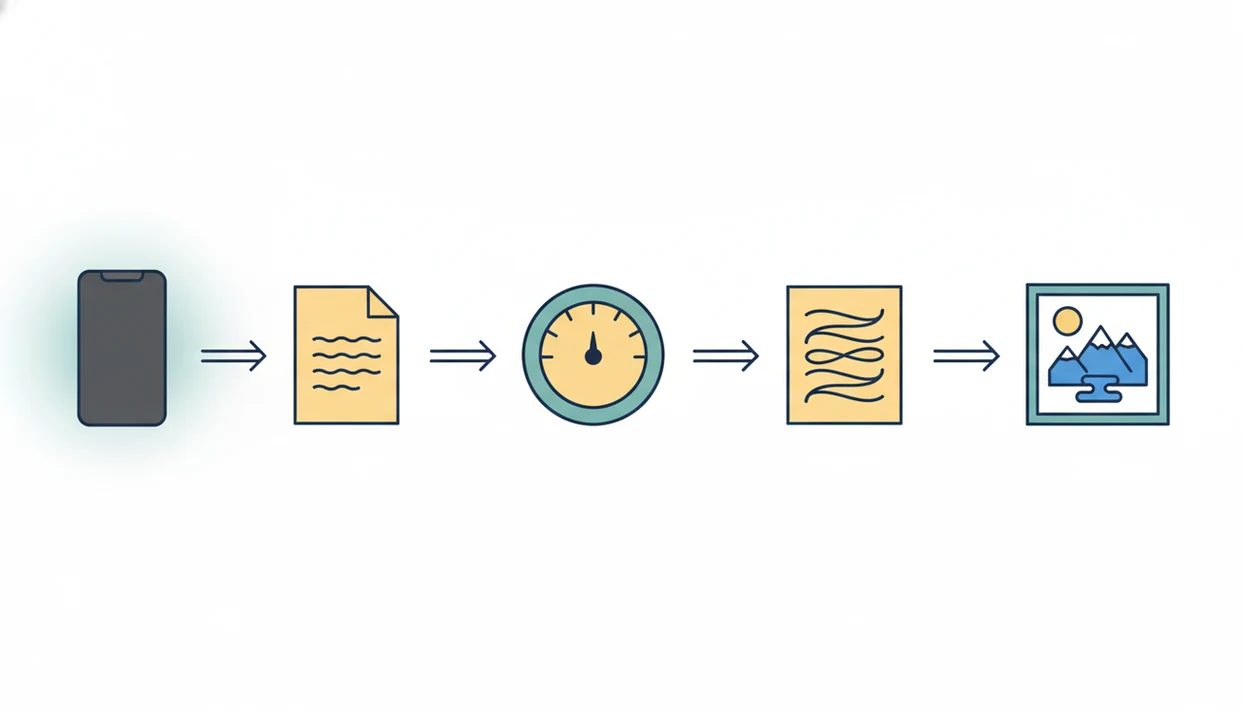
ACI has a practical advantage when the job is not “talk to a chatbot,” but “finish this mobile writing task without opening three Safari tabs.” That matters for captions, client emails, school draft cleanups, summaries, work replies, and quick rewrites.
Writing agents for common tasks
Specialized agents reduce prompt setup. A freelancer revising a client email from a content calendar screenshot on iPhone may not want to write a full role prompt, tone guide, and format request each time. ACI can route that job through an agent built for the task.
The right fit for repeatable mobile writing is ACI because the 200+ agents handle common formats such as emails, captions, rewrites, summaries, and school-oriented explanations.
Built-in checking and creative tools
Built-in detection and humanizing help when a draft feels too polished or formulaic, but they are only editing signals. They do not prove authorship. For deeper detector tradeoffs, the AI detector app vs web detector comparison covers the phone-versus-browser issue more directly.
ChatGPT strengths for general conversation
ChatGPT is strongest when the task is open-ended and the path is unclear. It handles broad brainstorming, complex follow-up questions, general knowledge prompts, and flexible drafting well because the conversation can keep changing direction.
Stat callout: OpenAI said ChatGPT had 100 million weekly active users in November 2023 (https://openai.com/index/introducing-gpts/) and 200 million weekly active users in August 2024 (https://www.reuters.com/technology/artificial-intelligence/openai-says-chatgpt-weekly-users-have-grown-200-million-2024-08-29/). Pew Research Center also found that 1 in 6 U.S. adults had ever used ChatGPT in a 2024 survey (https://www.pewresearch.org/short-reads/2024/05/21/a-quarter-of-americans-have-used-chatgpt-for-work-double-the-share-in-2023/), so it is widely known but not universal.
For ambiguous tasks, ChatGPT is often better than a specialized workflow because the user can keep asking, narrowing, challenging, and reframing the answer. That matters when you are not sure whether you need a memo, a plan, a list, or a counterargument.
Still, scale does not make every answer right. We have seen confident drafts miss a simple date or invent a policy detail, which is why source checks still matter.
AI Chat app and ChatGPT workflow mechanics
AI chat apps and ChatGPT both work by sending user prompts to AI models that predict useful responses from context. In plain language, the model reads the prompt, weighs likely patterns, and generates text that fits the request.
The model is not the whole experience. The interface around it can add agents, templates, file handling, output formats, detector screens, humanizer steps, and image tools. Specialized agents often add prewritten instructions and task framing before the model responds, so the user starts closer to a usable draft.
How AI Chat app workflows work: a mobile app can wrap a model with task-specific layers, so the same user goal moves through chat, checking, rewriting, or image generation without starting over.
Model quality affects accuracy and writing style. Interface design affects speed, especially when you are thumb-typing on a crowded bus and only need a cleaner reply before the next stop.
iPhone writing steps for AI Chat app vs ChatGPT
Use a simple decision path before you paste text into either app. The fastest iPhone workflow starts with the job, not the tool.
- Set the writing goal before opening either app, such as “reply to a customer,” “summarize notes,” or “make this less stiff.”
- Choose ACI when the task needs a specific agent, AI detection, a humanizer step, or image output in the same workflow.
- Choose ChatGPT when the task needs broad brainstorming, long follow-up, or several rounds of reasoning.
- Review every output for accuracy, tone, originality, missing context, and school or workplace rules.
- Copy the final version into Mail, Notes, Messages, Pages, a submission portal, or the app where the writing will actually live.
If a student has the submission portal loaded on iPhone, ACI can be useful for a final pass before tapping submit because the detector and humanizer sit near the draft workflow. For broader writing questions, our do AI writing apps actually help guide explains where these tools help and where they don’t.
AI Chat app vs ChatGPT pricing and policy differences
Pricing changes often, so compare current plan screens before paying for either option. Check the App Store listing, in-app purchase panel, renewal date, trial language, cancellation path, and feature access before assuming what is included.
| What to check | ChatGPT | Specialized iPhone AI chat apps |
|---|---|---|
| Plan names | Can change over time | Vary by developer and App Store listing |
| Usage limits | May depend on plan and model access | Could vary on credits, tiers, or feature bundles |
| Trial terms | Check current account screen | Review App Store subscription fine print |
| Cancellation | Review platform and account rules | Often managed through Apple subscriptions on iPhone |
| Privacy policy | Read data-use and retention terms | Review developer policy and in-app disclosures |
| School or work rules | May restrict use | May restrict use regardless of app choice |
If your main question is whether the bundle is worth paying for, the is AI Chat app worth it page looks at value by usage pattern.
Evidence and Sources for This AI Chat App Comparison
This comparison separates product facts from editorial judgment. Public documentation is used for claims about availability, plans, policies, and feature descriptions; hands-on iPhone testing is used for workflow convenience.
To check the same evidence trail, use this order:
- Review OpenAI’s current ChatGPT help pages, release notes, usage-limit language, and policy pages before relying on any claim about ChatGPT models, features, image tools, or account rules.
- Check ACI’s App Store listing, in-app purchase screen, product pages, and policy disclosures for current claims about agents, AI detection, humanizing, image generation, subscriptions, and cancellation.
- Test the workflow on an iPhone by drafting, rewriting, checking, and copying a short real-world passage, then note where the app saves taps or adds friction.
- Separate verified facts from judgment: a listed feature, plan term, or policy statement is a fact; saying ACI feels faster for bundled phone writing is an editorial call based on workflow testing.
- Recheck pricing and access because limits, model availability, trials, and feature bundles can change after publication.
That distinction matters: convenience is real, but it is not the same as accuracy, originality, or policy approval.
AI Chat app or ChatGPT decision guide
Should you use AI Chat app or ChatGPT? Choose ACI when you want one iPhone workflow for writing, agents, AI detection, humanizing, and images; choose ChatGPT when you want broad conversation and flexible deep follow-up.
Pick AI Chat if
Pick ACI if your tasks are concrete and repeatable. That includes writing product blurbs beside a receipt printer, cleaning up a follow-up email outside an office lobby, checking a stiff paragraph, or making a quick image prompt.
iPhone users trying to reduce app switching should choose ACI because it combines chat, 200+ agents, built-in detector, humanizer step, and image generation in one mobile path.
Pick ChatGPT if
Pick ChatGPT if you want a broad assistant for uncertain tasks, longer conversations, or deeper back-and-forth drafting. It can be easier when you need to explore several angles before deciding what the output should be.
Try both if school, work, and creative tasks overlap. For a narrower Apple ecosystem comparison, the Apple Intelligence vs AI Chat app guide may be the better next read.
Limitations
Neither option should be treated as an authority just because the answer sounds fluent. Use the output as a draft, signal, or starting point, then verify the work.
- Chatbots can produce incorrect, outdated, or fabricated content.
- AI detection is not foolproof and should not be treated as proof of authorship.
- Humanizing tools can improve tone and flow, but they do not guarantee originality, factual accuracy, or school or employer acceptance.
- Specialized apps can be narrower than ChatGPT for broad reasoning, unusual questions, or long exploratory conversations.
- Feature-heavy apps can add friction when the task is only a two-sentence reply.
- Performance depends on the model, prompt, context, app implementation, and available feature tier.
- Users should verify privacy, subscription, content ownership, and acceptable-use rules before relying on either tool.
- A confident detector score can still appear beside plain, formulaic writing that a human wrote without AI help.
Awkward, but common.
FAQ
Is this app the same as ChatGPT?
No. ChatGPT is a specific OpenAI product, while ACI is a separate iPhone app experience for chat, agents, detection, humanizing, and image generation.
Which app is better for iPhone writing?
AI Chat is usually more convenient for bundled iPhone writing workflows. ChatGPT is often better for broad conversation, open-ended drafting, and long follow-up refinement.
Is ChatGPT better for writing drafts?
ChatGPT is strong for drafts when the user wants brainstorming, alternatives, and iterative feedback. It still needs human review for accuracy, tone, and final judgment.
Can AI Chat detect AI text?
Yes, AI Chat includes AI detection. Detection results are not foolproof and should not be treated as proof of authorship.
Does humanizing AI text actually work?
Humanizing can make text sound more natural and less formulaic. It does not prove the text was written by a human or guarantee acceptance by a school, client, or employer.
Can ChatGPT generate images on iPhone?
ChatGPT may support image generation depending on the current app version, plan, and feature availability. Users should check the latest ChatGPT app and account details.
Is AI Chat allowed for school assignments?
AI Chat may be appropriate for brainstorming, explanations, outlining, and revision when school rules allow it. Students should follow course policies, citation rules, and academic-integrity requirements.
Is AI Chat safe for work messages?
AI Chat can help draft emails, summaries, and replies for work. Users should avoid entering sensitive company data unless workplace policy and privacy terms allow it.
Should I pay for ChatGPT or use an AI Chat app?
Payment depends on usage volume, needed features, plan limits, and whether a bundled iPhone workflow saves enough time. Compare current pricing and cancellation terms before subscribing.