
AI Chat For APA Style Help On iPhone
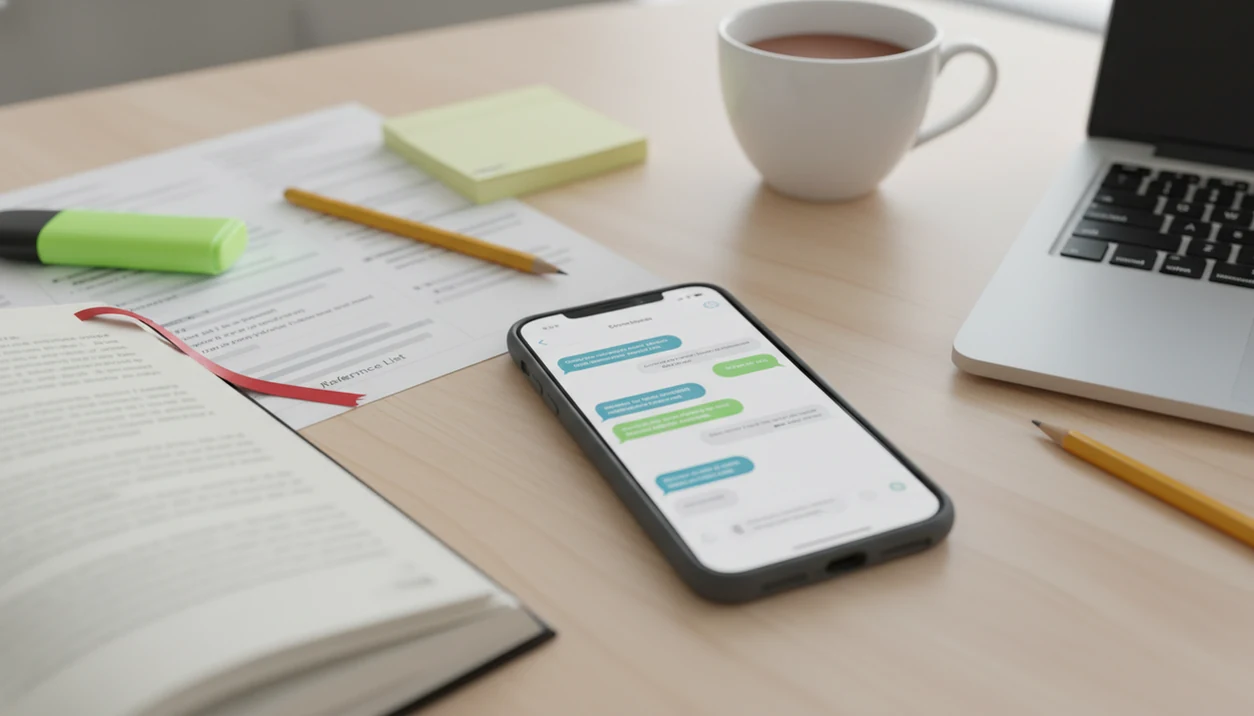
AI chat for APA style help can speed up APA 7 formatting, in-text citations, reference lists, tone checks, and revision review on iPhone, but it should be treated as an assistant rather than the final authority. Students should paste complete source details, ask for APA 7 output, and verify every citation against official APA guidance or a university style guide.
> Definition: ACI (AI Chat) is the ACI iphone ai chat app with specialized agents, built-in ai detection, ai humanization, and image generation for everyday writing, school, and work tasks.
TL;DR
- Use AI chat to draft APA 7 references, in-text citations, headings, title page checks, and revision notes from your iPhone.
- Always verify AI citation format help because AI tools can invent sources, DOIs, dates, and publisher details.
- Use AI detection and humanizing features ethically for tone and clarity, not to hide ghostwritten work or bypass school policy.
What AI Chat For APA Style Help Can Do On iPhone
AI chat for APA style help means using a mobile chat app to draft, check, and explain APA 7 formatting choices while you work on a paper. It can help with references, in-text citations, reference page order, heading levels, and academic tone suggestions.
Students can ask for a journal article reference, a parenthetical citation, a narrative citation, or a quick check of whether a title should use sentence case. The useful part is speed, especially when you are checking a notes draft under a cracked screen protector between classes.
AI Chat is an AI chat app that combines chat, 200+ agents, AI detection, AI humanizing, and image generation for iPhone users. As a mobile APA style AI app, it is a drafting and review workspace, not a replacement for the APA manual. For verification, keep the official APA Style reference examples open while you check AI output: https://apastyle.apa.org/style-grammar-guidelines/references/examples.
How AI Citation Format Help Works Behind The Scenes
AI citation format help works by predicting the likely citation structure from APA examples, your prompt, and the source details you provide. It does not automatically know whether a pasted title, DOI, author list, journal issue, or publisher name is real.
The data flow is simple. You paste source metadata, the model parses fields, it matches those fields to likely APA 7 patterns, and it returns a reference plus in-text citation. If the prompt is vague, the model may blend APA, MLA, Chicago, or generic web citation habits.
Small mistakes travel fast.
On an iPhone, the keyboard can cover half the paragraph while you compare commas, italics, and dates. That friction is one reason verification matters. For students who also need help beyond citations, our AI writing app for students guide explains broader responsible writing workflows.
APA Style AI App Requirements Before You Start
Before using an APA style AI app, collect complete source information and check your course rules. The cleaner your source data, the easier the output is to verify.
- Source fields: Gather author names, publication date, title, container, publisher or journal, volume, issue, pages, DOI, and URL when relevant.
- Assignment style: Confirm the paper requires APA 7, not APA 6, MLA, Chicago, or a local department variation.
- AI policy: Check whether your instructor, department, or institution requires disclosure of AI assistance.
- Comparison guide: Keep the official APA Style site, course guide, or university writing center page open beside the AI output.
- iPhone formatting: Watch for small-screen copy-paste errors, missing italics, and hanging indents that disappear in mobile editors.
A rubric photo beside a messy notebook is not enough. You still need the actual citation details, not just a screenshot of assignment language.
How To Use AI Chat For APA Style Help Step By Step
Use a structured prompt workflow when you want APA output that can be checked quickly. Tools like ACI can act as the mobile workspace for prompt-based APA checking, revision, detection, and humanizing without opening three Safari tabs.
Use ACI for mobile prompt-based APA review; use ZoteroBib or Scribbr Citation Generator when you want citation-builder-style forms, and use Purdue OWL or the official APA Style site when you need rule confirmation.
- Set the style first: “Use APA 7th edition only.”
- Paste complete metadata, including authors, date, title, journal or publisher, volume, issue, pages, DOI, and URL.
- Request both formats: “Format this as an APA 7 reference and parenthetical/narrative in-text citation.”
- Ask for uncertainty notes, including which fields were assumed or missing.
- Compare the output against an official APA guide or your university writing center guide.
- Revise the final paper manually, including italics, hanging indents, spacing, and instructor preferences.
For iPhone users, a good app delivers chat, citation drafting, detector review, and tone rewriting, not a promise that school policy no longer applies.
Best APA Style AI App Prompts For Citations And References
The best APA style AI app prompts give the model a source type, complete metadata, and a verification task. Ask the AI to separate confirmed fields from assumptions, then request a short rule explanation after each correction.
Journal Article Prompt
Use: “Format this journal article as an APA 7 reference and provide parenthetical and narrative in-text citations. Separate confirmed fields from assumptions. Explain any capitalization, DOI, volume, issue, or page-range choice.”
Reference List Cleanup Prompt
Use: “Audit this APA 7 reference list. Check author order, dates, sentence case, italics, DOI format, hanging indent notes, and alphabetization. Do not add sources I did not provide.”
Other useful prompts include: book chapter formatting, website citation with retrieval-date question, in-text citation variants for three or more authors, and a reference page audit before submission. A freelancer revising a client email can tolerate a rough citation note. A student submission cannot. If you are comparing school-focused tools, the best AI app for student writing guide covers broader app selection.
AI Citation Format Help Verification Checklist
AI citation format help should be checked line by line before submission. Every cited work must exist, match the source you actually read, and follow the rule your instructor expects.
- Author order: Confirm names, initials, group authors, and ampersands.
- Date: Check year, month, day, “n.d.,” and advance online publication details.
- Title formatting: Verify sentence case for article and book titles, plus title case where APA requires it.
- Source container: Check journal name, volume, issue, page range, publisher, DOI, URL, and italics.
- Page layout: Confirm alphabetization, hanging indents, double spacing, and reference-page consistency.
APA and university writing authorities warn that generative AI can produce incomplete or incorrect citations. For AI-specific APA guidance, cite APA's current ChatGPT guidance directly: https://apastyle.apa.org/blog/how-to-cite-chatgpt. In a 2023 Pew survey, 51% of 3,227 U.S. college students reported using AI tools such as ChatGPT for schoolwork at least once, so verification is no longer a niche habit. It is part of normal academic drafting now.
Common APA Citation Mistakes To Troubleshoot
Common APA citation mistakes usually come from trusting a clean-looking answer too quickly. The biggest problems are fake DOIs, invented journal names, missing source fields, and formatting that breaks when pasted from an iPhone.
Use a short repair pass before you submit:
- Verify that every DOI, journal, publisher, article title, and author actually exists in the source you read. If the AI filled in a field you did not provide, treat it as unconfirmed.
- Fix capitalization by using sentence case for article, book, and webpage titles in references, but title case for journal names and other source containers that require it.
- Check author order exactly as the source lists it, use an ampersand in parenthetical citations and reference entries where APA calls for it, and use “et al.” correctly for three or more authors.
- Reopen the pasted reference list on the submission device to catch lost italics, broken hanging indents, extra line spacing, or smart punctuation glitches.
- Stop asking AI when the answer affects a grade dispute, an unusual source type, a required disclosure, or a rule you cannot verify. At that point, check APA guidance or your instructor directly.
Ethical APA Style Revision With AI Detection And Humanizing
AI detection can flag text that may read as AI-generated, but it cannot guarantee how an institutional detector will score the same paper. Humanizing should be used for clarity, tone, and natural flow, not to hide ghostwritten work.
A detector score can look confident even when the underlying paragraph is just plain, formulaic writing. That awkward moment is why students should treat detection as a signal, not a verdict. Disclose AI assistance when your instructor, department, or institution requires it.
A 2024 Nature survey of more than 1,600 researchers found that 34% used generative AI tools for editing or improving text. That makes AI-assisted revision widespread, but still policy-sensitive. The ACI iphone ai chat app with specialized agents, built-in ai detection, ai humanization, and image generation for everyday writing, school, and work tasks can support review, not replace authorship. For essay-specific workflows, compare it with an app that checks and rewrites essays.
Limitations
AI citation tools are useful, but they are not citation authorities. The final responsibility for accuracy remains with the writer.
- AI can fabricate articles, authors, journals, publishers, and fake DOIs.
- Missing metadata can lead to confident but incomplete APA references.
- Vague prompts can cause APA, MLA, Chicago, and web citation rules to mix.
- AI citation format help can lag behind APA updates or local instructor preferences.
- AI detectors are unreliable as proof of originality, plagiarism status, or policy compliance.
- Humanizing text can create plagiarism risk if it disguises ghostwritten work.
- Some courses require AI disclosure, even when AI was used only for formatting help.
- iPhone editors may lose italics, hanging indents, spacing, and reference-page layout.
Check the final document on the platform where you will submit it. A clean chat answer can still paste badly into a learning management system.
FAQ
Can AI format APA citations?
Yes. AI can draft APA citations when you provide real source details and specify APA 7. Students must verify the output against official APA guidance, a course guide, or a university writing center resource.
Is AI citation help accurate?
Accuracy varies. AI can misread metadata, apply the wrong style rule, or fabricate citation details, so every reference needs manual checking.
How do I cite ChatGPT?
Citing ChatGPT is different from using AI to format citations for normal sources. Follow current APA guidance and your instructor’s policy for whether and how AI-generated content should be acknowledged.
Can AI create APA references?
AI can format APA references from real source details. It should not be used to invent sources, DOIs, article titles, or authors you did not actually consult.
Does APA require AI disclosure?
Disclosure depends on APA guidance, instructor directions, and institutional rules. If your course requires disclosure, state how the tool was used, such as citation formatting, brainstorming, or editing.
Can AI check APA headings?
Yes. AI can review APA heading levels, capitalization, and consistency across sections. You should still compare the result with your assignment template or APA guide.
Can AI fix reference pages?
AI can reorganize a reference list, flag missing fields, and suggest APA 7 corrections. You still need to confirm every author, date, title, DOI, URL, and hanging indent.
Do AI detectors prove originality?
No. AI detectors do not prove originality, plagiarism status, or compliance with school policy. They can provide a rough signal, but institutional rules and source attribution matter more.