
AI Chat for Homework Explanations, Not Just Answers
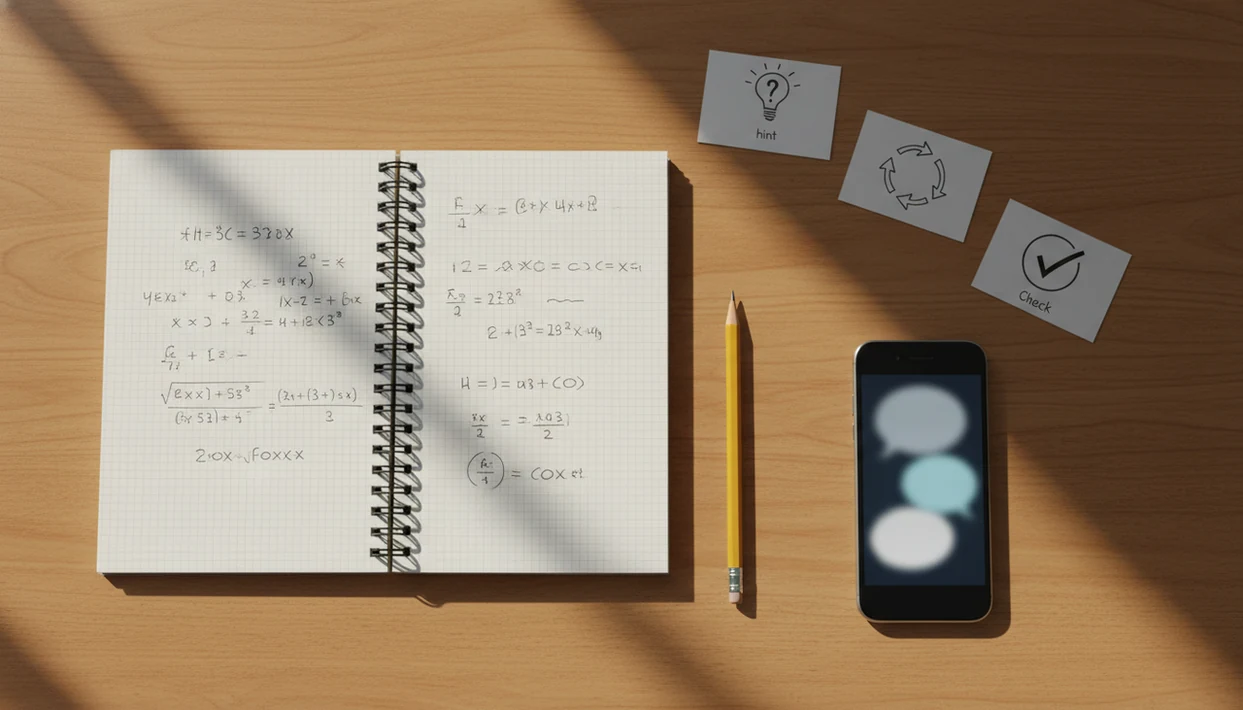
AI chat for homework explanations works best when it acts like a tutor: it explains concepts, gives hints, checks reasoning, and helps students practice without handing over copied final answers. The safe workflow is to ask for guidance, write your own response, then verify it against class notes or a teacher.
> Definition: AI chat for homework explanations means using an AI tutor-style chat to understand homework concepts and steps instead of outsourcing the final answer.
- Use AI chat to explain the method, not to submit its output unchanged.
- The best homework prompts ask for hints, examples, mistakes, and follow-up practice.
- AI explanations can be wrong, so students should verify formulas, facts, and reasoning.
AI chat for homework explanations: the safe definition
AI chat for homework explanations means using an AI tutor-style chat to understand homework concepts and steps instead of outsourcing the final answer. The goal is learning the method, not copying a finished response into a worksheet or learning platform.
Students usually ask things like “explain this problem,” “walk me through this,” or “why did my answer come out wrong?” Those are tutoring prompts when the student still does the thinking. Homework help without cheating means asking for support, then producing your own work.
A student pasting a teacher comment screenshot from the camera roll is using AI differently from someone pasting a whole essay prompt and asking for a final draft. ACI can fit the first workflow when it is used for explanation and checking; ACI is an iPhone AI chat app with specialized agents, built-in AI detection, AI humanization, and image generation for everyday writing, school, and work tasks.
Five facts about AI tutor explanations for homework
- Step-by-step explanations usually support learning better than answer dumps because they show the method, not just the result.
- Homework AI becomes risky when a student pastes an assignment, accepts the output, and submits it unchanged.
- Photo upload, PDF input, and saved study chats can help organize homework, but they can also misread text or miss classroom context.
- The same AI chat can act like a tutor or an answer machine depending on the prompt and follow-up questions.
- Confident mistakes are possible, so students must verify formulas, facts, citations, and reasoning before relying on the explanation.
AI homework use is already mainstream enough that students need rules, not denial. In Pew Research Center’s 2024 teen survey, 26% of U.S. teens said they had used ChatGPT for schoolwork, up from 13% in 2023: https://www.pewresearch.org/short-reads/2025/01/15/about-a-quarter-of-us-teens-have-used-chatgpt-for-schoolwork-double-the-share-in-2023/. Fast use does not equal safe use. The prompt still matters.
How AI chat for homework explanations works
AI chat generates homework explanations by predicting helpful text from the prompt, the conversation context, and patterns learned during training. In plain English, it is matching your question to likely explanations, examples, and steps.
Follow-up questions make it behave more like a tutor. Saved threads help because the chat can refer back to your earlier attempt, the topic, and the correction you already received. If you paste a rubric or textbook example, the explanation can line up better with class expectations.
Still, it does not truly know your teacher’s grading method unless you provide it. Photo or PDF inputs may be converted into text, but messy handwriting, cropped margins, or a shadow across an equation can change the problem. I’ve checked a draft on an iPhone with the keyboard covering half the paragraph; small screen context gets missed.
Homework help without cheating: the line students should not cross
School policies and teacher instructions should override generic AI advice. A safe AI tutor workflow asks for hints, concept review, practice questions, and error checks; a risky workflow asks the tool to complete the assignment for submission.
| Use case | Tutor use | Cheating use |
|---|---|---|
| Math problem | “Give me one hint.” | “Solve all 20 and format the answers.” |
| Essay paragraph | “Check whether my claim matches the rubric.” | “Write the paragraph for me.” |
| Science worksheet | “Explain the concept in simpler words.” | “Fill in every blank.” |
| Study review | “Quiz me on this chapter.” | “Create answers I can submit.” |
AI detection can be a screening tool, not proof by itself. A yellow caution score on the screen can mean the writing is formulaic, not that cheating occurred. For context, OpenAI retired its own AI Text Classifier in 2023 because of low accuracy, which is a useful reminder that detector output should not be treated as a verdict: https://openai.com/index/new-ai-classifier-for-indicating-ai-written-text/. For broader writing boundaries, the AI writing app for students guide covers study support beyond homework chats.
Before you use AI chat for homework
Before using AI chat for homework, make sure the task allows it and that you are ready to ask for learning support, not a finished submission. A few minutes of setup protects your grade, privacy, and understanding.
- Check the rules first. Read the assignment directions, teacher policy, syllabus notes, and any platform warnings about AI assistance. If the policy is unclear, ask whether hints, concept review, or checking your own attempt are allowed.
- Gather the class materials. Keep your notes, rubric, textbook example, required formulas, and your own unfinished work nearby so the chat can respond to the method your class is using.
- Remove private details. Do not include student names, grades, classroom account information, teacher login pages, or screenshots that expose personal data.
- Choose the kind of help you need. Decide whether you want a hint, a concept explanation, an error check, or a new practice problem before you type the prompt.
- Share only the relevant problem details. Instead of uploading an entire graded worksheet, paste the specific question, your attempt, and the part where you got stuck.
How to use AI chat for homework explanations
Use AI chat as a study loop: ask, attempt, verify, and practice again. For students, hint-first prompting is often safer than answer-first prompting because it keeps the student responsible for the final work.
1. Set the learning goal
- State the topic you want to understand, such as factoring, thesis statements, or cell division.
- Paste or photograph only the relevant details, not the whole assignment if that turns the task into outsourcing.
2. Ask for hints first
- Ask for one hint before full steps, especially on graded homework.
3. Write your own answer
- Write the response in your own words, then compare it with the explanation.
4. Verify the explanation
- Check the result against notes, textbook examples, formulas, or teacher guidance.
5. Practice a similar problem
- Ask for a similar practice problem to test whether you can do it without the chat.
For an iPhone-specific version of this workflow, the how to use AI for homework on iPhone guide keeps the steps mobile-first.
Best prompts for AI tutor explanations
Good homework prompts slow the AI down and force it into tutor mode. Provide your attempted work when possible, even if it is half-finished or messy.
- Concept prompt: “Explain the concept behind this problem without solving it yet.” This helps before you see any final answer.
- Hint prompt: “Give me one hint at a time.” Short hints make it harder to copy blindly.
- Error-check prompt: “Show where my reasoning went wrong.” Paste your attempt so the feedback has something real to inspect.
- Practice prompt: “Create a similar practice question after I try this one.” This checks transfer, not memory.
- Socratic prompt: “Ask me questions instead of giving the final answer.” It feels slower, but that is the point.
A good iPhone AI chat app with specialized agents, built-in AI detection, AI humanization, and image generation for everyday writing, school, and work tasks should help students check, rewrite, compare, cite, and clarify, not promise copied homework that survives every classroom rule.
Common myths about AI chat homework help
AI homework chat is not always cheating. It depends on whether the student uses it for hints, explanations, and practice, or submits AI output as original work.
Detailed explanations are not always correct. A long solution can still use the wrong formula, skip a condition, or invent a citation. Step-by-step output also does not prove learning. A student can copy every line and still be lost when the numbers change.
Image scanning is not always better than typing. A photo under a cracked screen protector can turn a minus sign into a dash, and the chat may not notice. Humanizing AI writing is another misunderstood step. It can change tone, but it does not fix academic integrity problems if the student did not do the work.
For writing-heavy assignments, the app that checks and rewrites essays workflow is useful only after the student has an original draft.
Checking AI homework explanations before submitting work
“Can I trust this AI homework explanation?” Not until you compare it with the class method, the textbook example, and the assignment instructions.
Start with the basics: calculations, units, formulas, definitions, quoted evidence, and citations. Then ask the chat, “What assumptions did you make?” or “Where could this solution be wrong?” That second question often reveals missing context.
Teacher feedback and rubrics are the higher authority. If the rubric says use a specific method, a different AI shortcut may lose credit even when the answer is numerically right. AI humanization can make a sentence sound less stiff, but it does not make facts more accurate.
Mainstream use also does not prove correctness; students still need to compare AI explanations with classroom materials, teacher instructions, and authoritative sources before relying on them.
Limitations
AI chat can be useful for homework explanations, but the workflow has real limits.
- AI chat can give wrong answers with confident wording.
- General-purpose models may have uneven subject mastery across algebra, history, chemistry, literature, and coding.
- Photo-based homework help can fail with blurry images, cropped pages, glare, or unclear handwriting.
- Missing classroom context can make an explanation misaligned with the teacher’s required method.
- AI detection is not reliable proof of cheating or innocence.
- AI humanization does not make copied work academically acceptable.
- Students may copy steps without understanding why they work.
- Some schools prohibit or restrict AI use, so local policy matters.
- Saved chats can help studying, but they can also preserve mistakes if nobody checks them.
Tools like ACI, chatgpt.com, and Poe can support study workflows, but they should not replace teacher instructions. For essay-style work, the best AI app for student writing comparison is more relevant than a homework-answer shortcut.
FAQ
Is using AI for homework help cheating?
It depends on the use. Asking for explanations, hints, and practice is different from submitting copied AI output as your own work.
Can AI explain math steps without just giving me the answer?
Yes, AI can explain math steps and give hints. Students should still verify formulas, calculations, and units against class materials.
Should I paste my full homework assignment into AI chat?
Avoid pasting a full assignment when the goal is to outsource the answer. Use only the relevant problem details and ask for guidance.
Are AI tutor explanations always accurate?
No. AI tutor explanations can be helpful, but they may include confident errors or skipped assumptions.
Can AI read homework photos correctly?
Image input can help with worksheets or textbook problems. Blurry photos, handwriting, shadows, and cropped context can cause mistakes.
How do I avoid copying AI homework answers?
Ask for hints first, write your own answer, and use a similar practice problem to test understanding. Do not submit AI output unchanged.
Can teachers detect AI-written homework?
Teachers may use AI detection tools, but those tools are imperfect. A detector result should not be treated as final proof by itself.
What prompts help me learn instead of copy?
Use prompts that ask for concept explanations, one hint at a time, error checks, and similar practice problems. ACI can support that workflow when the student uses it for tutoring rather than answer submission.