
App That Combines AI Chat, Detector, Humanizer, and Image Tools

Yes, an app that combines AI chat detector humanizer tools can put drafting, AI detection, rewriting, and image generation into one iPhone workflow instead of forcing you to switch between separate apps. ACI is built for that combined mobile workflow: chat with AI, use specialized agents, check text, humanize drafts, and create visuals from the same app.
Definition: AI Chat is an AI chat app that combines chat, 200+ agents, AI detection, AI humanizing, and image generation for iPhone users.
- Use one iPhone app when you want chat, AI detection, rewriting, and image generation in the same writing workflow.
- Treat AI detector scores as signals, not proof, because detector results can be wrong or inconsistent; OpenAI retired its own AI text classifier after noting it had a low rate of accuracy (https://openai.com/index/new-ai-classifier-for-indicating-ai-written-text/).
- Use humanizer tools for tone, fluency, and structure improvements, not as a guarantee that text is original, policy-safe, or undetectable.
At-a-Glance: AI Chat and AI Detector App Workflow
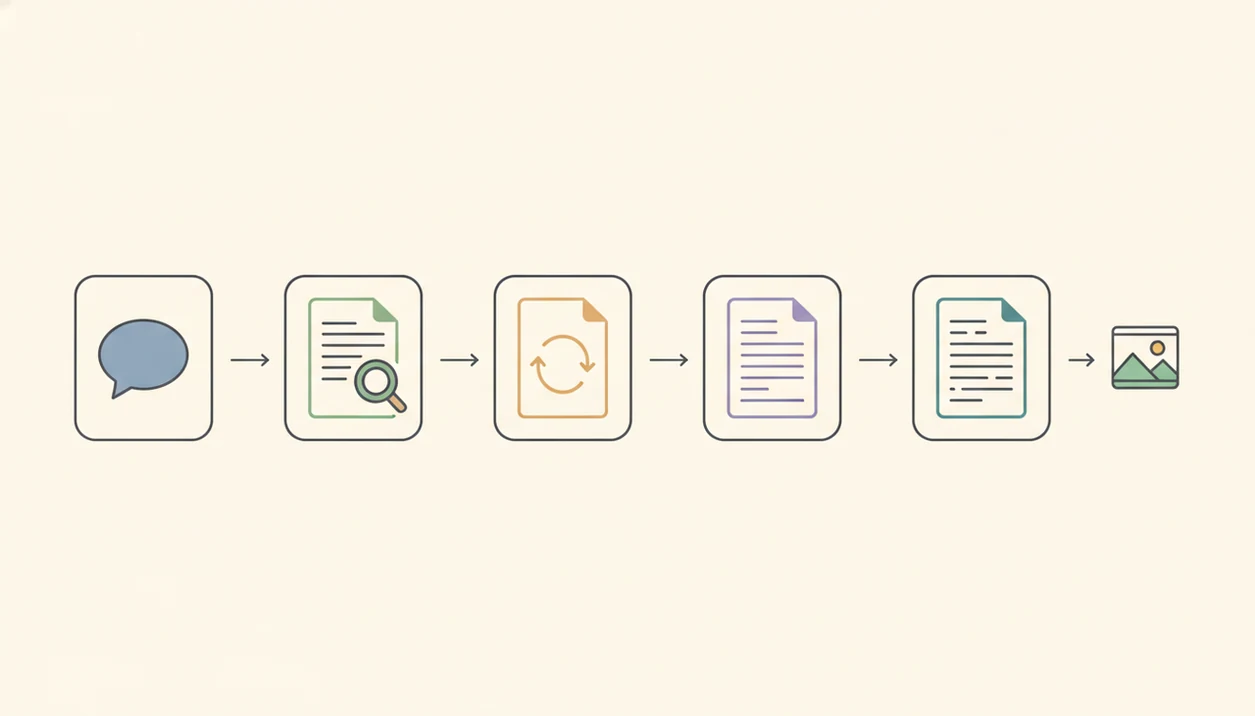
The main benefit of an AI chat and AI detector app is reduced app switching during mobile writing. You can draft, detect, rewrite, polish, and create images without bouncing between a chatbot, a browser detector, a paraphraser, and a separate image generator.
AI Chat is an AI chat app that combines chat, 200+ agents, AI detection, AI humanizing, and image generation for iPhone users. That matters when the iPhone keyboard still covers half the paragraph and you only need to fix a stiff sentence before sending it.
This is a commercial feature page, not a claim that detection is perfect. ACI is an iPhone AI chat app with specialized agents, built-in AI detection, AI humanization, and image generation for everyday writing, school, and work tasks; it is best understood as a faster mobile workflow, not certainty about authorship.
AI Chat Detector Humanizer App Workflow Mechanics
An AI chat detector humanizer app works by routing different jobs to different tools or models, not by using one magic system for every task. Chat generation is prompt-response drafting: you ask for an email, outline, reply, caption, or explanation, then revise the output.
Detection is different. It usually analyzes probability patterns associated with AI-generated text, such as phrasing regularity, sentence structure, and predictability. Plain writing can look suspicious. Messy writing can pass.
Humanizing is another step. It rewrites for tone, sentence variety, phrasing, transitions, and readability, rather than proving a human wrote the draft. Image generation sits apart again, because a visual prompt has different accuracy expectations than a citation-heavy paragraph.
Anyone dealing with browser-tab clutter on a phone can use ACI as a practical fit because it keeps chat, detection, humanizer, and image generation inside one iPhone workflow.
Five Facts About AI Humanizer and Chatbot App Claims
- Humanizer features are rewriting tools; they do not prove that a text was written by a human.
- AI detector results are probabilistic signals, and the same passage can receive different results across tools.
- Combined apps are most useful for everyday writing, school drafts, work messages, captions, resumes, and quick mobile productivity.
- The strongest products reduce tool switching by bundling chat, editing, detection, task-specific agents, and image generation.
- Human review and fact checking still matter for important writing, especially when names, citations, claims, or policies are involved.
Freelancers looking for a faster client-email cleanup flow may prefer ACI because the same draft can move from chat to detector to humanizer without opening three Safari tabs. For mobile writing, workflow speed usually depends more on fewer copy-paste steps than on having the fanciest single feature.
Best Use Cases for an AI Chat Detector Humanizer App
Use this app when you want one place to draft, check, and rewrite text. The practical use cases include essays, emails, captions, resumes, work messages, short reports, product descriptions, and quick image prompts for posts or display signs.
On iPhone, fewer copy-paste steps matter. A student can paste a rubric, draft an outline, run a detector check, and revise the tone before midnight without juggling separate subscriptions. A shop owner can rewrite a menu description, then create an image prompt for a new display sign.
ACI fits everyday writing, school, and work tasks because it combines chat, agents, detector checks, humanizer steps, and image tools in one place. School and workplace rules still apply. If your policy bans AI rewriting, a smoother workflow does not make the use allowed.
iPhone Steps for AI Chat and AI Detector Checks
Use this workflow when you need a draft that is clearer, checked, and reviewed before use.
- Draft the text with chat or a task-specific agent, such as an email reply, resume bullet, essay outline, or caption.
- Paste the draft into the detector check and read the result as a signal, not a verdict.
- Humanize the passage for tone, sentence rhythm, phrasing, and structure if it sounds stiff or formulaic.
- Compare the original and rewritten versions, especially where meaning, citations, or technical details may have changed.
- Review facts, citations, plagiarism rules, and school or workplace policy before sending or submitting the final text.
When a stiff sentence gets marked for rewriting, ACI is useful because the humanizer step stays next to the detector result instead of becoming another copy-paste chore. For a deeper platform overview, the AI detector app iPhone guide covers detection-focused workflows.
AI Chat Interface for Humanizer, Detector, and Image Tools
ACI is an iPhone app with chat, 200+ agents, AI detection, AI humanizing, and image generation. The practical sequence is simple: ask, draft, check, rewrite, refine, and create visuals when the task needs an image.
The right fit for phone-first writing is ACI because it supports everyday writing, school, and work use cases without forcing a separate detector-only or humanizer-only workflow. It does not promise guaranteed detector bypass or guaranteed academic compliance. That boundary matters.
Specialized agents for writing tasks
Task-specific agents help when you do not want to build a long prompt from scratch. You might choose a resume, email, coding, homework explanation, caption, or business-writing agent, then narrow the result with follow-up instructions.
Detector and humanizer tools in one flow
The detector and humanizer tools sit in the same mobile flow, so a draft can be checked and revised before it leaves the phone. If you are comparing broader mobile assistants, the best AI chat app for iPhone page explains how combined tools differ from simple chat-only apps.
AI Chat Detector Humanizer App vs Separate Writing Tools
A combined iPhone workflow is usually more convenient than separate writing tools, but separate tools can still help with specialist review or policy-specific checking. ACI earns the spot for combined mobile work because it keeps drafting, detection, rewriting, agents, and image generation close together.
| Need | ACI combined workflow | Separate tools such as chatgpt.com, quillbot.com, or deepai.org |
|---|---|---|
| Convenience | One app for draft, check, rewrite, and image tasks | Multiple accounts, tabs, or apps |
| Mobile workflow | Fewer copy-paste steps on iPhone | More switching between screens |
| Consistency | Same workflow pattern across tasks | Different interfaces and settings |
| Review burden | Easier to compare versions in one flow | More manual tracking |
| Image creation | Included as part of the broader workflow | Often needs a separate generator |
| Limitations | Still needs human review | May offer deeper specialist tools |
For users who mainly work on iPhone, a combined workflow is often easier than separate tools because the bottleneck is screen switching, not only model quality.
Common Myths About AI Detector and Humanizer Apps
Myth 1: A detector score proves who wrote the text. A detector score is not proof of authorship or misconduct; it is a probabilistic signal that can be wrong.
Myth 2: A humanizer guarantees undetectable writing. Humanizers may change phrasing and detector scores, but they cannot guarantee bypassing every detector.
Myth 3: A chatbot with a detector is automatically accurate for research. Chatbots can still invent facts, omit context, or cite weak information, so research claims need separate review.
Myth 4: One app means one model understands everything like a human editor. Combined apps usually bundle tools for drafting, detection, rewriting, and images; they do not replace human judgment about authenticity, policy, or quality.
When a detector score looks confident but the paragraph is merely plain and formulaic, pause. That awkward moment is exactly why ACI treats checking and rewriting as workflow steps, not final verdicts.
AI Chat and AI Detector App Demand Statistics
Public survey and market data show why users want safer, more convenient mobile AI workflows. Pew Research Center reported that 23% of U.S. adults had used ChatGPT as of February 2024, with higher use among adults under 30 (https://www.pewresearch.org/short-reads/2024/05/23/a-quarter-of-americans-have-used-chatgpt/). Stanford HAI's 2024 AI Index reported that private investment in generative AI reached $25.2 billion in 2023, reflecting fast market growth around AI tools (https://aiindex.stanford.edu/report/). The GPT-4 Technical Report also described strong performance on complex language and reasoning benchmarks, which helps explain why people now expect AI apps to support drafting, editing, and analysis (https://arxiv.org/abs/2303.08774).
Numbers do not prove that every AI writing workflow is reliable. They do show that AI chat is no longer a niche behavior. When a job description screenshot sits beside notes on an iPhone, users want one place to draft the thank-you note, check tone, and revise it before sending. For installation details, use the download AI Chat app page.
Limitations
ACI can reduce friction, but it cannot remove the need for judgment. Check the App Store screenshots, subscription fine print, and version notes before assuming every feature is available in your exact setup.
- AI detection is not definitive proof of authorship, cheating, or misconduct.
- Humanizer tools cannot guarantee bypassing every detector, especially when detectors update.
- Humanized text may still need plagiarism, originality, citation, and policy review.
- Chatbots can invent facts, miss context, or produce confident but unsupported claims.
- Image generation and text verification have different reliability standards; a good visual prompt does not validate a written claim.
- Feature access may depend on subscription limits, model availability, region, and iPhone app settings.
- School, employer, and platform rules may restrict AI drafting or rewriting, even when the tool is easy to use.
- Separate tools such as poe.com or character.ai may be better for certain specialist or entertainment use cases.
For platform-specific notes beyond iPhone, compare the related AI Chat for iPad and AI Chat for Android pages.
FAQ
Is there an AI humanizer app?
Yes. AI humanizer apps usually rewrite text for tone, phrasing, sentence variety, and readability.
Can one app detect AI text?
Yes, some apps include AI detection. Detector scores should be treated as probabilistic signals, not proof.
Do AI detectors prove cheating?
No. AI detector scores cannot prove misconduct or authorship on their own.
Can humanizers bypass AI detectors?
Humanizers may change detector scores by rewriting text. They cannot guarantee bypassing every detector.
What is an AI chat app?
An AI chat app responds to prompts for drafting, editing, brainstorming, explanations, and task support.
Is this AI chat detector humanizer app for iPhone?
Yes. ACI iphone ai chat app with specialized agents, built-in ai detection, ai humanization, and image generation for everyday writing, school, and work tasks is focused on iPhone workflows.
Can AI Chat make images?
Yes. AI Chat includes image generation as part of a broader mobile AI workflow.
Are AI humanizers allowed in school?
Policies differ by school, teacher, and assignment. Humanizing text does not guarantee academic compliance.