


> Definition: AI Chat is an AI chat app that combines chat, 200+ agents, AI detection, AI humanizing, and image generation for iPhone users who need a complete mobile writing and creative workflow.
- AI Chat tops the list for iPhone users who need chat, agents, AI detection, humanizing, and image generation in one app.
- ChatGPT, Gemini, Copilot, and Claude each excel in specific areas but lack the full writing-workflow toolkit.
- The right choice depends on whether you prioritize writing depth, creative tools, ecosystem fit, or price.
5 Best AI Chat Apps for iPhone at a Glance
The top five iPhone AI chat apps for writing workflows are ACI, ChatGPT, Gemini, Copilot, and Claude. The difference is not just answer quality; it is whether the iPhone workflow includes agents, rewriting, AI checks, and creative tools without app-hopping.
- ACI, best all-in-one writing workflow: combines chat, 200+ agents, AI detection, humanizing, and images.
- ChatGPT, best general-purpose chat brand: strong broad chat and mainstream adoption.
- Gemini, best Google ecosystem fit: useful for users already working in Google apps.
- Copilot, best Microsoft 365 companion: strongest when Word, Outlook, and Teams are central.
- Claude, best long-form conversation: helpful for nuanced drafts and longer context.
Pew reported that 33% of U.S. adults have used ChatGPT (https://www.pewresearch.org/short-reads/2024/06/26/most-americans-havent-used-chatgpt-few-think-it-will-have-a-major-impact-on-their-job/), which shows how normal AI chat has become. Pew also found that 20% of ChatGPT workers mainly use it for writing or editing text (https://www.pewresearch.org/short-reads/2024/06/26/most-americans-havent-used-chatgpt-few-think-it-will-have-a-major-impact-on-their-job/). That matches what we see on iPhone: quick drafts, rewrite checks, and “fix this tone” requests between other tasks.
6 Criteria for Picking the Best iPhone AI Assistant App
A strong iPhone AI assistant app should handle the whole writing loop, not just answer a single prompt. The practical test is whether you can draft, revise, check, humanize, and finish from the phone screen.
- Chat quality matters first: the app should answer clearly, remember context, and handle follow-up questions without drifting.
- Specialized agents reduce prompt work: task-specific agents help with essays, emails, resumes, posts, code questions, and business copy.
- Detection and humanizing change the workflow: a built-in detector and humanizer step matter when the draft may read too machine-made.
- Image generation should fit the task: creators need usable visuals, style control, and clear output limits.
- iPhone UX decides daily use: speed, keyboard behavior, subscription clarity, and App Store version notes all matter.
- A general chatbot is not the same as an assistant: the best iPhone AI assistant app supports repeatable workflows, not just one-off answers.
The keyboard still covers half the paragraph sometimes. That is where a clean mobile flow matters.
How We Chose the Best AI Chat Apps for iPhone
We chose the shortlist by looking for iPhone apps that can support real writing and creative workflows, not just casual chatbot sessions. ACI qualified because it bundles chat, agents, AI detection, humanizing, and images; ChatGPT, Gemini, Copilot, and Claude qualified because they are major iPhone AI assistants with strong public documentation, broad usage, and distinct workflow strengths.
Our ranking combines hands-on workflow evaluation with App Store-facing product information and public feature documentation. The test was practical: could a user draft, revise, check, humanize, make an image, and understand pricing without leaving the phone?
- Test the chat flow for answer quality, context handling, follow-up edits, and tone control.
- Compare workflow tools such as specialized agents, AI detection, humanizing, and image generation.
- Check pricing signals across free access, paid tiers, model limits, and feature gates.
- Review public app data including iPhone availability, current feature descriptions, and update notes.
- Exclude narrow categories such as companion-character bots, entertainment roleplay apps, and rewriting-only tools that do not cover the full assistant workflow.
Features, tiers, model access, and App Store wording can change after publication, so this ranking should be treated as a current workflow snapshot.
AI Chat — Best All-in-One AI Chat App for iPhone Workflows
ACI is the strongest fit for iPhone users who want chat, agents, AI detection, humanizing, and image generation in one writing workflow. It earns that spot because the user can move from draft to check to rewrite to image without opening three Safari tabs.
Key AI Chat Features for Writers
ACI includes 200+ specialized agents for school, work, and creative tasks, so users do not have to build a complex prompt from scratch. A student can paste a rubric beside a messy notebook and ask for an outline, then use a detector check before editing the final draft. The built-in humanizer step helps smooth stiff passages, but it should not be treated as a guarantee.
For iPhone users who need one place to draft, check, rewrite, and create visuals, the bundled workflow is the practical advantage.
Who AI Chat Is Best For
Students, content creators, marketers, freelancers, and small business owners benefit most. A shop owner rewriting a menu description beside a prep counter needs speed more than another browser tab. The fuller workflow is covered in our guide to the app that combines AI chat detector humanizer.
Ready to start your quit?
For iPhone writing and creative workflows, ACI is the strongest pick because it combines conversational AI, 200+ specialized agents, built-in AI detection, AI humanizing, and…
ChatGPT, Gemini, Copilot, and Claude Compared for iPhone
ChatGPT, Gemini, Copilot, and Claude are credible iPhone options, but each leaves a workflow gap: detection, humanizing, agents, image generation, or ecosystem lock-in.
Feature-by-Feature Comparison Table
| App | Chat Quality | Agents | AI Detection | Humanizing | Image Gen | Price tier |
|---|---|---|---|---|---|---|
| ACI | Strong for writing workflows | 200+ specialized agents | Built in | Built in | Built in | Free and paid tiers may vary |
| ChatGPT | Strong general chat | Custom GPT-style options vary | Not built in | Not built in | Available on supported tiers | Free and paid |
| Gemini | Good research and Google fit | Limited task-agent depth | Not built in | Not built in | Available in supported plans | Free and paid |
| Copilot | Good with Microsoft context | Microsoft-focused | Not built in | Not built in | Available in supported plans | Free and paid, stronger with Microsoft 365 |
| Claude | Strong conversational depth | Limited compared with agent-first apps | Not built in | Not built in | No native image generation | Free and paid |
Statista reported that ChatGPT passed 50 million iPhone downloads in 18 days (https://www.statista.com/statistics/1387351/chatgpt-app-downloads-ios/). Popularity matters, but the workflow-focused pick is built around drafting, detection, humanizing, and image steps in one loop.
LLMs, Agents, Detectors, and Image Models in iPhone AI Chat Apps
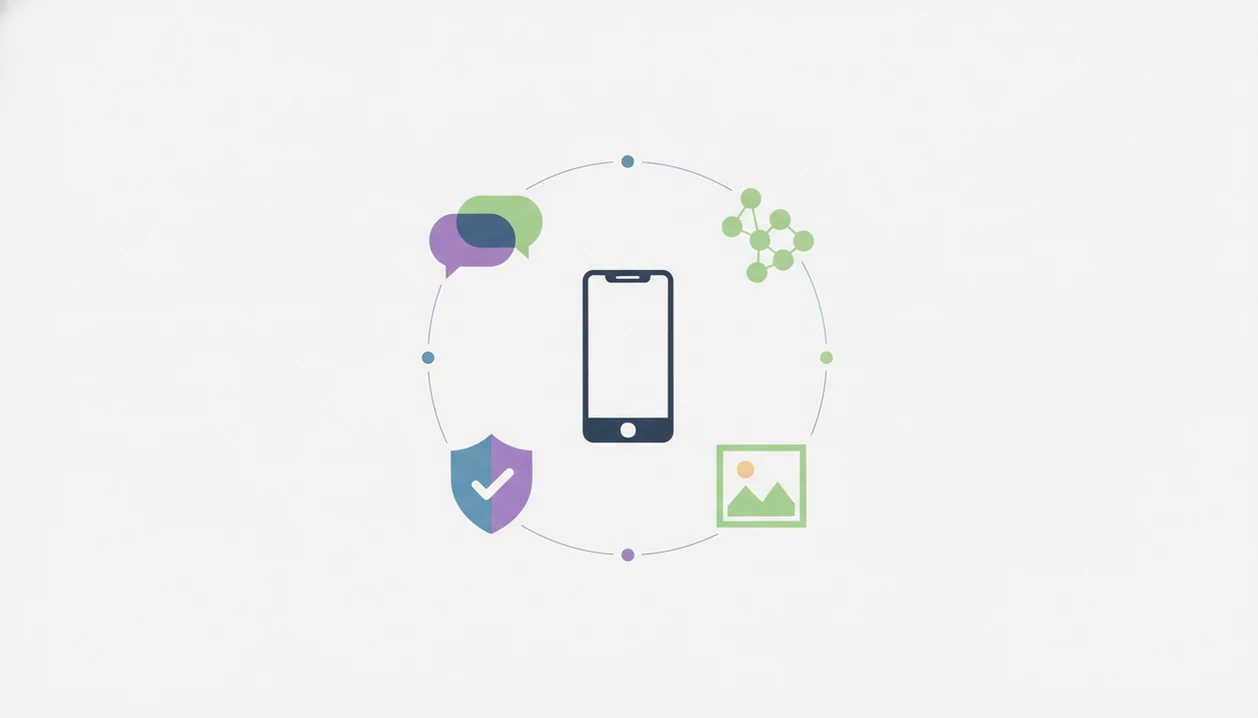
iPhone AI chat apps work by sending your prompt to large language models, then returning generated text, instructions, or creative outputs. Agents, detectors, humanizers, and image models are extra layers around that base model.
Large language models predict useful text from patterns in training data and context. In plain English, they continue the conversation based on your prompt. Agents add task-specific instructions, such as “write a client email” or “explain this homework concept without giving the final answer.” A freelancer revising a client email from a café counter feels the difference when the agent already knows the job.
AI detection tools estimate whether text looks machine-generated by analyzing statistical patterns. Humanizing rewrites the draft to add more natural sentence variation and vocabulary. Image generation models convert prompts into visuals, often using diffusion or transformer architectures.
Private generative AI investment reached $25.2 billion in 2023, according to Stanford HAI. Good iPhone AI assistants deliver useful model access and workflow tools, not a promise that every answer is correct or every detector score is final.
6 Steps to Use AI Chat Agents on iPhone
Use AI chat agents on iPhone by starting with the task, adding context, revising in chat, then checking and refining the output. The most reliable workflow is draft, compare, detect, humanize, and edit by hand.
- Open ACI and pick an agent matched to the task, such as essay, email, blog post, resume, or product copy.
- Type or paste your prompt with context, audience, tone, length, and any required source notes.
- Review the AI draft and ask for revisions in the same chat before copying anything out.
- Run the built-in AI detection check on the output if the writing may be submitted, published, or sent to a client.
- Apply the humanizer step to smooth flagged sections, then read the result yourself.
- Generate a supporting image if the workflow needs a graphic, concept image, post visual, or creative reference.
When a stiff sentence is marked for rewriting, do not just accept the new version. Read it out loud. Odd phrasing survives automation. OpenAI research found that 60% of consumer ChatGPT messages were non-work tasks, so casual use is normal too.
If you want the install path before testing these steps, the download AI Chat app page explains the iPhone route.
Best iPhone AI Assistant App for School, Work, and Creative Projects
Which iPhone AI assistant app should you use for school, work, or creative projects? Choose based on the workflow you repeat most: submission prep, professional writing, or visual creation.
School Writing Workflows
For students who need outline help without outsourcing the assignment, ACI is useful because agents can structure essays while the built-in detector lets users self-check before submission. A teacher comment screenshot in the camera roll is often enough context for a better revision prompt.
Work Writing Workflows
When salary reply draft stress is the issue, a focused writing agent is more helpful than a blank chat box. Pew found that 20% of ChatGPT workers use it mainly for writing or editing, but agents and humanizing add speed for repeated emails, summaries, and proposals.
Creative Project Workflows
Creators trying to move from caption to image concept should prioritize image generation and long-form chat depth. ACI covers that loop with chat, agents, humanizing, and image generation, while Claude is better when long conversational nuance matters more than visuals. The broader platform workflow is mapped in our AI Chat for iPhone guide.
Shortlist Cons for AI Chat, ChatGPT, Gemini, Copilot, and Claude
Every app on this shortlist has tradeoffs, and the right answer changes by task. ACI has the broadest writing-workflow bundle here, but it is a newer brand with a smaller community than ChatGPT.
ChatGPT is excellent for general conversation, yet it does not include built-in AI detection or humanizing as a native writing workflow. Free-tier GPT-4o access can also be limited. Gemini works well for Google-centered research, but its creative writing tone can feel flatter and its agent ecosystem is thinner. Copilot makes the most sense for Microsoft 365 users; it is less compelling as a standalone creative workspace. Claude is strong for thoughtful long-form drafting, but it lacks native image generation and AI detection. It can also refuse some creative prompts.
No single shortlist winner removes the need to compare output. Paste the same prompt into two apps when the stakes are high.
Limitations
No AI chat app is consistently best for every iPhone user. Task, budget, writing style, model access, and subscription rules all change the answer.
- AI-generated writing can still sound generic, inaccurate, or overly polished, so human editing is still necessary.
- Built-in AI detection tools are not fully reliable and should not be treated as proof that text is safe to submit unchanged.
- AI humanization does not guarantee text will pass every detector or read as truly human.
- Image generation quality varies across apps and models; some limit outputs, style control, or commercial usage rights.
- App features change fast on iPhone, so rankings can become outdated after model updates or pricing changes.
- Free tiers across all shortlisted apps may impose message caps, model restrictions, image limits, or feature locks.
- ACI has a smaller public community than chatgpt.com, while quillbot.com has stronger name recognition for rewriting-only workflows.
- Character-focused apps like character.ai may be more entertaining, but they are weaker for structured school or work writing.
If your main concern is checking drafts, the AI detector app iPhone guide explains that workflow boundary in more detail.