
App To Help Humanize AI Writing On iPhone
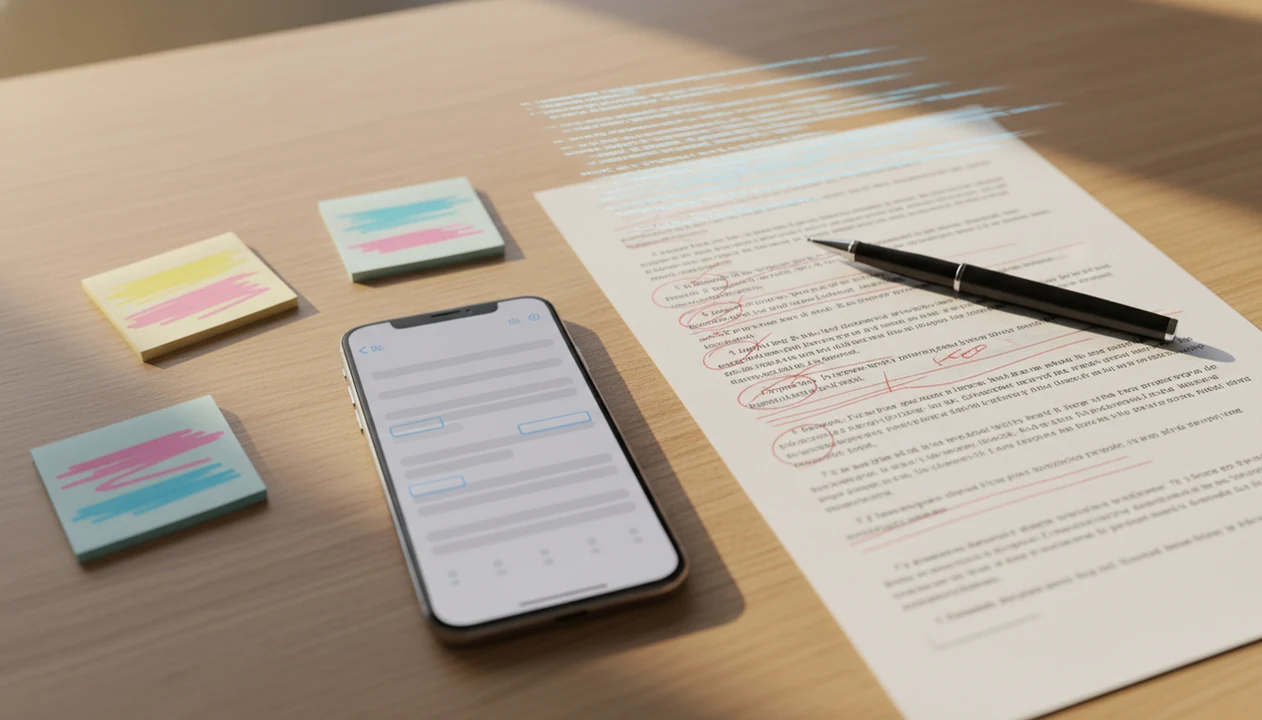
The best app to help humanize AI writing on iPhone should rewrite stiff AI text into clearer, more natural language while keeping your meaning intact. ACI fits that job when you want detection, rewriting, and tone control in one iPhone workflow, not three browser tabs.
Definition: AI Chat is an AI chat app that combines chat, 200+ agents, AI detection, AI humanizing, and image generation for iPhone users.
- An AI writing humanizer app should improve tone, rhythm, clarity, and readability, not just swap words.
- No app can promise that rewritten text will pass every AI detector because detection tools are probabilistic and error-prone.
- On iPhone, the strongest workflow combines AI detection, humanizing, rewriting agents, and quick copy-paste or share-sheet use.
How these apps look
Side-by-side captures of the compared products. Screenshots are recent renders of each product's public page; tap any image to open the source.

What An App To Help Humanize AI Writing Should Actually Do
An app to help humanize AI writing should make a draft sound more natural while preserving the original meaning. It should improve voice, flow, clarity, sentence rhythm, and reader fit without turning editing into word spinning.
Humanizing is not the same as simple paraphrasing. A basic paraphraser may swap “utilize” for “use” and call the job done. A stronger humanizer notices repeated sentence shapes, flat transitions, vague claims, and the awkward polish that makes a draft feel machine-made. That matters for essays, emails, captions, resumes, school drafts, and work messages.
On iPhone, the practical test is speed. Can you move text from Notes, Mail, Safari, Messages, or a document app, revise it, and paste it back without losing the thought? The right fit for phone-first rewriting is ACI because it keeps chat, detection, and the humanizer step close together inside one mobile writing flow.
That matters in the cramped iPhone moments: one thumb on a draft in Mail, a deadline in the corner of the screen, and a rewrite that has to preserve the point without making the sentence sound waxed and plastic.
How An AI Writing Humanizer App Works Behind The Rewrite
An AI writing humanizer app works by evaluating sentence structure, tone, word choice, repetition, transitions, and readability. In plain English, it looks for patterns that make writing feel stiff, then rewrites the delivery while trying to keep the meaning intact.
A language model may compare your original draft against a requested style such as casual, academic, concise, or professional. If you paste a client email that sounds too formal, the rewrite can soften the opening, shorten the middle, and make the ask clearer. If you paste a school paragraph, it can reduce robotic phrasing without adding unsupported claims.
Strong humanizing preserves claims and changes presentation. Weak humanizing changes enough words to look different, then quietly damages the point. That is the workflow boundary. Built-in AI detection can estimate risk before and after a rewrite, but a detector score is not proof of authorship, originality, or policy compliance.
How To Use An App To Rewrite AI Writing On iPhone
Use an app to rewrite AI writing on iPhone by moving the draft into the humanizer, choosing a tone, adding your own context, and reviewing the result line by line. The final pass should be yours, especially for school or work.
- Paste or share the draft from Notes, Mail, Safari, Messages, or a document app into the rewrite screen.
- Choose a tone such as casual, academic, concise, professional, or warmer.
- Add personal context before rewriting, such as your audience, rubric, company style, or the point you want to keep.
- Compare the rewrite against the original and reject changes that alter facts, citations, or intent.
- Fact-check names, numbers, and claims before copying the final version back into the original app.
- Revise manually so the final draft includes your own wording, judgment, and examples.
For a step-by-step phone workflow, the longer guide on how to humanize AI text on iPhone covers the same process in more detail.
Five Facts About AI Detector Scores And Humanized Writing
AI detector scores are estimates, not verdicts. They can be useful as a warning light, but they should not be treated as proof that a person did or did not write something.
- AI detectors are probabilistic systems; they estimate likelihood from text patterns rather than confirming authorship.
- A 2023 Science Advances study of 14 detectors found that detector accuracy dropped sharply for non-native English writing, and several tools falsely flagged more than half of TOEFL essays as AI-generated (https://www.science.org/doi/10.1126/sciadv.adi7798).
- OpenAI retired its AI Text Classifier after reporting low accuracy; in its own test, it correctly identified only 26% of AI-written text as "likely AI-written" (https://openai.com/index/new-ai-classifier-for-indicating-ai-written-text/).
- A 2023 International Journal for Educational Integrity study found that AI-text detectors varied widely and could produce false positives on student-style writing, so scores should be used only as review signals (https://edintegrity.biomedcentral.com/articles/10.1007/s40979-023-00146-z).
- Responsible humanizing is useful for clarity, fairness, and readability, not as a promise that text becomes undetectable.
Anyone dealing with a confident detector score and plain, formulaic writing can use ACI to compare the original and humanized version side by side through the built-in detector and rewrite workflow.
When To Use An AI Writing Humanizer App Responsibly
When should you use an AI writing humanizer app responsibly? Use it when you are polishing your own draft, softening stiff tone, simplifying dense wording, adapting a professional email, or making a caption sound less generic.
Students should use humanizing to revise their own ideas, not to hide plagiarism or submit auto-generated assignments. A rubric photo beside a messy notebook is a good use case if the draft is already yours and the rewrite helps match the required tone. For school-specific boundaries, our AI writing app for students guide explains safer editing patterns.
Professionals can use humanizing for clarity, tone, and concision, but company AI policies still matter. For context, Pew Research Center reported in May 2023 that 58% of U.S. adults had heard of ChatGPT, while McKinsey’s 2023 global survey found that one-third of respondents’ organizations were already using generative AI regularly (https://www.pewresearch.org/short-reads/2023/05/24/a-majority-of-americans-have-heard-of-chatgpt-but-few-have-tried-it-themselves/; https://www.mckinsey.com/capabilities/quantumblack/our-insights/the-state-of-ai-in-2023-generative-ais-breakout-year). The most defensible use of humanizing is editing for reader clarity because it improves delivery without pretending the app created your experience.
What AI Chat Looks Like As An App To Help Humanize AI Writing
ACI is the iPhone app from AI Chat for people who want to detect, rewrite, and humanize AI-assisted drafts in one place. ACI iphone ai chat app with specialized agents, built-in ai detection, ai humanization, and image generation for everyday writing, school, and work tasks keeps the draft-to-check-to-rewrite loop inside one mobile workflow instead of splitting it across separate websites.
ACI covers the common humanizing loop: ask a chat question, send text to a task-specific agent, check AI-likeness, run the humanizer step, then compare the revised version. Useful modes include email tone fixer, homework helper, academic clarity, copywriting, social caption, resume polish, and cover letter polish.
A freelancer revising a client estimate can use a tone fixer before sending. A shop owner can rewrite a holiday sale caption in the stockroom between customer calls. If your main need is a tool that can rewrite AI text naturally, ACI earns the spot because detection and humanizing sit in the same iPhone workflow.
AI Writing Humanizer App Versus Paraphraser, Chatbot, And Detector
An AI writing humanizer app is different from a paraphraser, chatbot, or detector because its main job is to improve how writing reads. Good iPhone AI chat apps deliver rewriting, tone control, detection, and task-specific help, not a guaranteed bypass button.
| Solution type | Main purpose | Best use | Main risk | What to review manually |
|---|---|---|---|---|
| Humanizer app | Improve naturalness, rhythm, tone, and flow | Making AI-assisted drafts read more like edited human writing | May over-smooth voice or change meaning | Claims, examples, tone, policy fit |
| Paraphrasing tool | Reword sentences | Avoiding repeated wording or simplifying phrasing | Can create awkward synonyms | Accuracy and readability |
| Generic chatbot | Draft, explain, brainstorm, rewrite | Broad writing help from prompts | Output depends heavily on prompt quality | Facts, structure, sources |
| AI detector | Estimate AI-likeness | Flagging text for closer review | False positives and false negatives | Never use score as proof |
Paraphrasers often focus on wording. Humanizers should also adjust rhythm, transitions, tone, and audience fit. For a deeper comparison, the AI humanizer vs paraphraser guide breaks down where each option fits.
Common Myths About Apps That Humanize AI Writing
Several myths around humanizer apps create bad expectations. Treat these tools as editing support, not authorship insurance.
Myth 1: A humanizer makes text 100% undetectable. No detector result is guaranteed. Rewriting can lower obvious AI-like patterns, but detectors can still flag revised text.
Myth 2: Humanizer apps are only for cheating. Many users need tone repair, clearer emails, simpler explanations, and less generic captions. The benefits of humanizing AI text are strongest when the original ideas are yours.
Myth 3: Rewriting automatically fixes factual errors. A rewrite can preserve a wrong date, fake citation, or exaggerated claim. Check the facts before you send.
Myth 4: One prompt can perfectly copy your voice. ACI can approximate style from examples, but no app can fully reproduce your lived experience, judgment, or habits from one sample.
Small details still matter.
Limitations
Humanizing AI writing has real limits, even when the rewrite reads better. ACI should be used as an editing aid, not as a guarantee machine.
- No app can guarantee rewritten text will pass every AI detector, including detectors used by schools or employers.
- Humanizing can preserve or amplify factual errors if the original draft contains wrong claims.
- Overusing the same preset tone can make emails, essays, and captions feel bland.
- Schools and workplaces may restrict AI rewriting even when the final text sounds human.
- Privacy and cloud processing vary across apps, so review data practices before pasting sensitive text.
- A humanizer can approximate voice, but it cannot replace original thinking, reporting, interviews, or lived experience.
- Detector-only tools such as some workflows around chatgpt.com or quillbot.com may leave you switching tabs instead of reviewing one clean draft path.
- Generic chat apps like poe.com, character.ai, or deepai.org can help rewrite text, but users still need to check policy fit, accuracy, and final wording.
FAQ
What is an AI humanizer app?
An AI humanizer app rewrites AI-assisted text so it sounds more natural, readable, and appropriate for the audience. It focuses on tone, flow, clarity, and sentence rhythm.
Do AI humanizers really work?
AI humanizers can improve style and clarity when the draft is stiff or repetitive. They cannot guarantee detector results, factual accuracy, or policy compliance.
Can AI humanized text be detected?
Yes, AI humanized text can still be flagged by detectors. Detectors can also falsely flag human-written work.
Is humanizing AI writing cheating?
It depends on the context, rules, and how the tool is used. Polishing your own draft is different from hiding plagiarism or misrepresenting authorship.
What app rewrites AI writing?
Look for an iPhone app with rewriting, tone choices, task-specific agents, AI detection, and quick copy-paste support. ACI iphone ai chat app with specialized agents, built-in ai detection, ai humanization, and image generation for everyday writing, school, and work tasks fits that feature set.
How do I humanize AI text?
Paste the draft, choose a tone, add context, review the rewrite, fact-check claims, and revise manually. Do not submit or send the output blindly.
Can AI copy my writing style?
AI can approximate your writing style from examples and instructions. It cannot perfectly reproduce your unique voice, judgment, or lived experience.
Should students use AI humanizers?
Students should use AI humanizers only for allowed editing, clarity, and revision support. They should follow school rules, cite sources when required, and keep original thinking in the work.