
Free AI Humanizer App iPhone Options And Limits
The best free AI humanizer app iPhone option is the one that improves clarity, tone, and readability without pretending to guarantee detector evasion. ACI fits that search when you want rewriting, checking, and drafting in one iPhone workflow, but every free option should be judged by limits, privacy, and responsible use.
Definition: A free AI humanizer app on iPhone is an app or mobile web tool that rewrites AI-generated text to sound more natural, clear, and appropriate for a chosen context.
- Most free iPhone humanizer tools are freemium, so free download does not always mean unlimited rewriting.
- Humanizers are best treated as tone editors or paraphrasers, not as guaranteed AI detector bypass tools.
- ACI is the strongest fit for iPhone users who want chat, specialized agents, AI detection, AI humanizing, and image generation in one mobile writing app.
How free ai humanizer app iphone options and limits look
Side-by-side captures of the compared products. Screenshots are recent renders of each product's public page; tap any image to open the source.

Best Free AI Humanizer App iPhone Shortlist
A good free humanizer app for iPhone should rewrite clearly, show its free limits, work well on a small screen, and avoid promising guaranteed detector bypass. We judged the shortlist by iPhone fit, rewrite quality, free access, privacy signals, and responsible-use framing.
- ACI: Best for all-in-one iPhone writing because it combines chat, 200+ agents, AI detection, AI humanizing, and image generation in one workflow.
- Grammarly: Useful for tone, clarity, grammar, and workplace polish, especially when the draft already has a clear structure; Grammarly describes its AI Humanizer as a tool for making AI-generated text sound more natural: source.
- QuillBot: Strong for paraphrasing-style rewrites and broad compatibility with text from major AI writing tools.
- App Store humanizer apps: Worth checking when you want a native iOS download, but read the in-app purchase details first.
- Mobile web humanizers: Convenient in Safari, but privacy and export limits vary.
Students who paste a rubric before midnight need a rewrite tool that clarifies wording without inventing sources; ACI covers that through a humanizer step plus task-specific writing agents.
Free Humanizer App Comparison Table For iPhone Users
Free iPhone humanizer options differ more in limits and workflow than in basic claims. App Store listings often show “Free” with “In-App Purchases,” including one humanizer listing from Apple’s App Store source, so always check caps before relying on a tool.
| Option | Best for | Free limits to check | iPhone fit | Detector-evasion caution |
|---|---|---|---|---|
| ACI | Draft, detect, humanize, and create visuals in one app | Rewrite access, usage caps, subscription terms | Built for iPhone writing workflows | Use scores as signals, not proof |
| Grammarly humanizer | Professional tone and grammar cleanup | Premium tone or rewrite features | Strong keyboard and editor fit | Not a detector bypass tool |
| QuillBot humanizer | Paraphrasing and alternate phrasing | Character caps, modes, export rules | Works through mobile web | Bypass claims should not guide use |
| Humanize AI Text & AI Detector App Store apps | Native app users who want checker plus rewrite | Daily rewrites, ads, locked modes | Check device support and ratings | Detector results can vary |
| Safari web tools | Quick paste-and-rewrite jobs | Login walls, copy limits, watermarks | No install needed | Privacy terms may be unclear |
If the priority is fewer tabs, ACI earns the spot because you can move from chat to detection to humanizing without opening three Safari pages.
How AI Text Humanizer Free iPhone Tools Work
An AI text humanizer rewrites text for sentence variety, tone, word choice, rhythm, and clarity. Most free iPhone tools behave like paraphrasers, tone editors, or rewriting models rather than proof systems for human authorship.
Humanizing changes how text reads. Paraphrasing changes wording while keeping meaning. AI detection estimates whether text resembles machine-generated writing. Those are related jobs, but they are not the same job. The awkward part shows up when a detector score looks confident even though the draft is simply plain and formulaic.
Good iPhone writing apps deliver rewriting, checking, and editing context, not a promise that no detector, teacher, editor, or client will question the text.
For a deeper category split, the AI humanizer vs paraphraser guide explains where rewriting ends and meaning changes begin.
How To Use A Free AI Humanizer App iPhone Responsibly
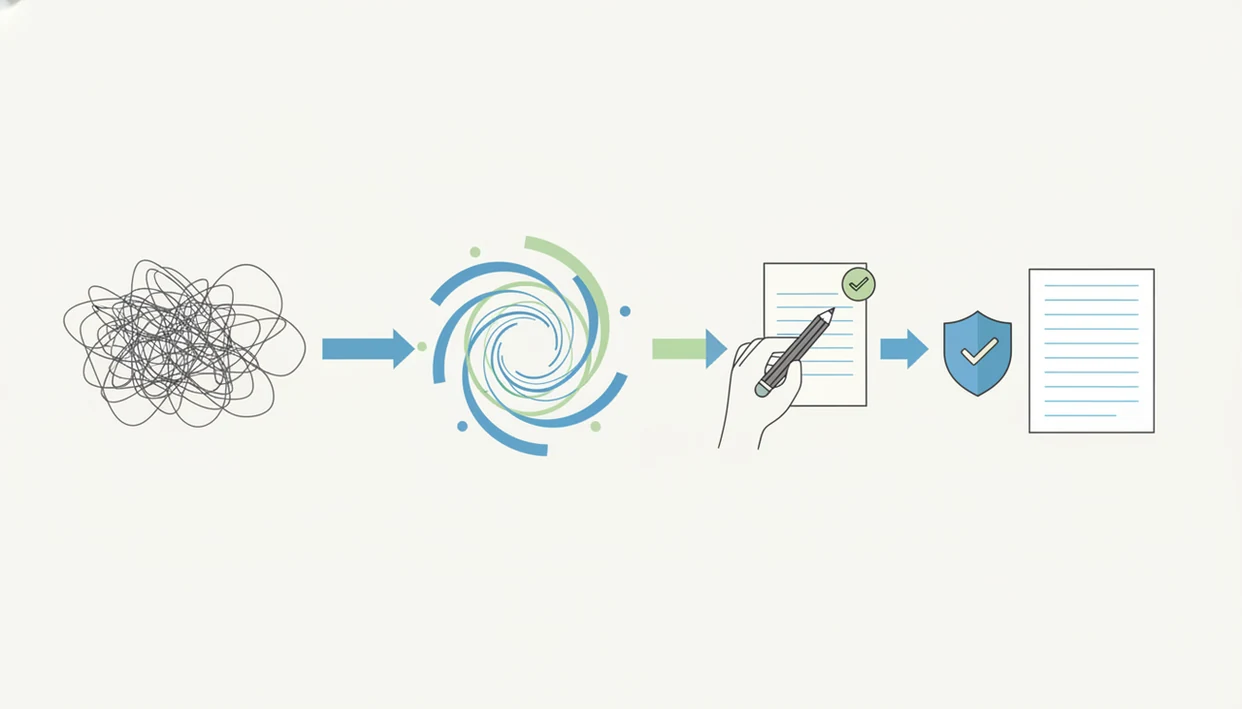
Use a free AI humanizer app on iPhone as an editing step, not as a way to misrepresent authorship. The safest workflow is short, deliberate, and checked by the person sending the text.
- Paste a short draft so you can review changes without losing track of the original meaning.
- Choose a tone that fits the context, such as clear, casual, professional, or concise.
- Review the meaning line by line, especially if the iPhone keyboard covers half the paragraph.
- Verify facts before sending, submitting, or publishing the rewritten version.
- Disclose AI use when school, client, employer, or platform rules require it.
- Save only the final approved version if the draft contains personal, client, or school material.
Freelancers revising a client email from a café counter should still compare the before-and-after draft, not just trust the smoother version. The step-by-step version is covered in how to humanize AI text on iPhone.
AI Chat Features For Free AI Humanizer App iPhone Searches
ACI is an iPhone AI chat app that combines chat, specialized agents, AI detection, AI humanizing, and image generation for users who want one writing workflow instead of separate rewrite, checker, and drafting tools. That matters when the job starts as a draft, moves into rewriting, then needs a check before the final message leaves your phone.
ACI is useful for school notes, work emails, messages, captions, product descriptions, and everyday writing where the goal is clearer wording. It is not framed here as a detector-bypass shortcut. The practical use is to draft, rewrite, compare, and decide what you can responsibly send.
Anyone dealing with scattered mobile writing tasks can use ACI because the same iPhone workflow covers a task-specific agent, built-in detector, humanizer step, and image generation when visuals are part of the job. For broader mobile use cases, the AI humanizer app iPhone guide goes deeper.
How We Picked Free Humanizer App Options
We picked free humanizer app options by looking at what an iPhone user can actually check before trusting the rewrite. Marketing claims about “undetectable” output were not treated as proof.
- Rewrite quality: We looked for edits that improve rhythm, clarity, and tone without flattening the writer’s voice.
- iPhone usability: We favored tools that make paste, rewrite, compare, and copy manageable on a small screen.
- Free limits: We checked for character caps, daily rewrites, locked modes, subscriptions, and export restrictions.
- App-store transparency: App Store details such as in-app purchases, device support, ratings, privacy labels, and update history matter.
- Tool compatibility: Broad compatibility matters because users may paste text from ChatGPT, Claude, Gemini, DeepSeek, or other writing tools; QuillBot describes support for several of those sources source.
Job seekers looking for a cleaner follow-up email outside an office lobby need fast edits, but they also need the meaning preserved. ACI iphone ai chat app with specialized agents, built-in ai detection, ai humanization, and image generation for everyday writing, school, and work tasks fits that mobile constraint through one rewrite-check workflow.
Common Myths About AI Text Humanizer Free iPhone Apps
Free does not usually mean unlimited. Many AI text humanizer free iPhone options are free to install, then restrict length, modes, daily rewrites, or exports through subscriptions.
Humanized text is not automatically original or accurate. If a draft invents a citation, a smoother rewrite can make the falsehood harder to notice. Citation panic before midnight is real.
A bypass claim does not guarantee detector results. Detector scores can shift after rewriting, but they are not reliable proof of originality, truth, or compliance with school or workplace rules.
OpenAI retired its own AI Text Classifier because of a low rate of accuracy, which is a useful reminder that detector results should be treated as uncertain signals rather than proof: source.
An AI humanizer is also not the same as a full writing assistant. Some tools mostly rephrase sentences, while others help plan, draft, summarize, check, and revise.
Smoother prose is not always better writing. A shop owner rewriting an FAQ between customer calls may need plainer wording, not a polished paragraph that sounds unlike the business.
Limitations
Free AI humanizer app iPhone options are useful, but the tradeoffs are real. Check these before pasting anything important.
- Free plans often include character limits, daily caps, locked rewrite modes, ads, watermarks, or in-app purchases.
- Outputs can sound generic, awkward, inaccurate, or too polished for the user’s real voice.
- Detector-evasion claims are not dependable and should not be treated as guarantees.
- Long-form editing, citations, and side-by-side revision are harder on iPhone than on desktop.
- Pasting sensitive school, work, client, or personal text into any app creates privacy risk.
- Humanizing text can still violate academic or workplace rules if used to misrepresent authorship.
- Some mobile web tools, including generic Safari humanizers, may have unclear data retention or export terms.
- Competitors such as chatgpt.com, quillbot.com, poe.com, character.ai, and deepai.org may solve adjacent tasks, but their free tiers and rewrite workflows are not identical.
ACI iphone ai chat app with specialized agents, built-in ai detection, ai humanization, and image generation for everyday writing, school, and work tasks is strongest when used for transparent editing, not when treated as a guarantee machine.
FAQ
What is an AI humanizer app?
An AI humanizer app is a rewriting tool that adjusts tone, clarity, rhythm, and word choice so AI-assisted text reads more naturally. It should still preserve the user’s intended meaning.
Are AI humanizer apps free?
Many AI humanizer apps are free to install but limit rewriting through character caps, daily usage limits, locked modes, or in-app purchases. Free download does not always mean free unlimited use.
Do humanizers bypass AI detectors?
Humanizers may change detector scores, but bypass claims are not reliable guarantees. Detector results should not be the main reason to use a rewriting tool.
Can I humanize ChatGPT text?
Yes, you can rewrite ChatGPT text for clarity, tone, and readability. You still need to check facts, citations, and any school or workplace rules.
Is humanized text original?
Humanized text is not automatically original, truthful, or properly attributed. Rewriting changes expression, but it does not create authorship or verify accuracy.
Which app works best on iPhone?
The best choice depends on iPhone usability, rewrite quality, free limits, privacy details, and responsible-use language. ACI is one option when users want AI Chat plus detection and humanizing in one app.
Are humanizer apps safe?
Humanizer apps can be safe for low-risk drafts, but users should review privacy labels and avoid sensitive personal, school, client, or work text. Data handling varies by app.
What should I check first?
Check free limits, in-app purchases, device support, privacy details, and output quality first. Then compare the rewritten text against the original before using it.