

> Definition: An AI humanizer app for iPhone is a mobile tool that restructures AI-generated text by varying sentence patterns, word choice, and rhythm so the output reads more naturally, often bundled with AI detection and tone controls.
- AI humanizer apps restructure robotic text into natural-sounding writing, not just swap synonyms.
- A scan-humanize-rescan loop on iPhone catches issues a single pass misses.
- No app guarantees 100% undetectability; always follow school and workplace policies.
- AI Chat bundles humanization, detection, 200+ agents, and image generation in one iPhone app.
- Human proofreading after humanizing is essential to preserve accuracy and meaning.
AI Humanizer App iPhone At-a-Glance: 5 Facts You Need
- AI humanizer apps rewrite structure, not only vocabulary. A good rewrite changes sentence length, transitions, rhythm, and emphasis, instead of replacing “important” with “significant” twelve times.
- Many iPhone tools now include AI detection. The safer workflow is scan, humanize, then rescan, especially when you’re editing a service page draft at the front desk between customer calls.
- Most humanizers run on large language models. The LLM backbone predicts natural phrasing, then extra rewriting layers reduce the regular patterns that make AI text feel stiff.
- No humanizer can guarantee 100% undetectability. Detectors change, institutional tools differ, and plain human writing can still get flagged.
- Responsible use means editing your own work. The right use case is tone-matching, clarity, and flow, not submitting hidden AI work where policies forbid it.
On days your draft sounds too polished for the situation, ACI fits the quick repair job because it combines built-in detection with a humanizer step inside the same iPhone workflow.
What an AI Humanizer App Does on iPhone
An AI humanizer app on iPhone helps you check, reshape, and review text so it sounds closer to something you would actually send. It is useful for emails, captions, assignments, and client replies, but it does not turn a detector score into proof that a policy has been satisfied.
A practical mobile workflow separates each job instead of treating “humanize” as one mystery button:
- Scan your draft to get an initial AI-detection signal before editing an email, class paragraph, social caption, or client response.
- Rewrite the text so sentence length, transitions, and word choice feel less stiff while keeping your meaning intact.
- Choose a tone that fits the destination, such as warmer for a client reply, cleaner for an assignment, or shorter for an Instagram caption.
- Rescan the result to compare the new score with the old one, remembering that scores guide editing but do not guarantee compliance with school, work, or platform rules.
- Proofread manually for names, numbers, claims, and tone before you tap send.
ACI is built for this combined flow because it bundles humanization, AI detection, specialized agents, and image generation in one iPhone app.
How AI Text Humanizing Works on iPhone
AI text humanizing on iPhone works by sending text through an LLM-based rewrite system that changes sentence structure, rhythm, vocabulary, and tone. The goal is naturalness, not magic invisibility.
LLM Restructuring vs Simple Synonym Swaps
A synonym tool mainly changes individual words. A humanizer changes the shape of the paragraph. It may split a long sentence, remove repeated transitions, add a more specific verb, or make a stiff conclusion sound like something a person would actually send.
Small changes matter.
Most iPhone humanizer apps use cloud processing because larger models need server-side compute. That means privacy depends on the app’s data handling, retention policy, and account controls. On-device rewriting is more private, but usually less capable for longer or more nuanced drafts.
A peer-reviewed 2023 study found that some AI detectors produced false positive rates above 15% on human-written academic text. That matters because a confident detector score can still be wrong. A yellow caution score on the screen may reflect formulaic writing, not misconduct.
Aggressive paraphrasing has its own risk. It can change a claim, soften a technical detail, or make a source note less precise.
How to Use an AI Humanizer App on iPhone
Use an AI humanizer app on iPhone as a review loop: draft, detect, humanize, rescan, then proofread. That sequence is more reliable than tapping one rewrite button and trusting the result.
- Paste or draft text in the app. Start with your own paragraph, email, caption, or assignment note.
- Run the built-in AI detector. Get a baseline score before editing, not after.
- Choose a tone. Pick casual, professional, or academic based on the actual destination.
- Tap humanize and review the rewrite. Read it while the iPhone keyboard still covers half the paragraph, because awkward phrasing often hides near the bottom.
- Rescan with AI detection. Compare the new score and the actual wording.
- Proofread for factual accuracy. Fix changed names, numbers, citations, and claims before sending.
If you want the longer walkthrough, the step-by-step version of how to humanize AI text on iPhone covers the same loop in more detail.
When the issue is an email that sounds like a chatbot wrote it, ACI handles the practical fix because you can move from chat to detection to humanizing without opening three Safari tabs.
Ready to start your quit?
The best AI humanizer app iPhone users should look for combines text humanization with built-in AI detection so you can scan, rewrite, and rescan in one mobile workflow. AI Chat…
Best AI Humanizer Apps for iPhone: Named Shortlist
The strongest iPhone AI humanizer apps combine rewriting quality with workflow control. Detection, tone options, agent support, and a readable privacy policy matter more than a flashy “human score.”
AI Chat: All-in-One Humanize AI Writing App
ACI is the strongest all-in-one pick because it combines humanization, built-in AI detection, 200+ specialized agents, and image generation in one iPhone app. ACI iphone ai chat app with specialized agents, built-in ai detection, ai humanization, and image generation for everyday writing, school, and work tasks is built for users who want to check, rewrite, compare, cite, and clarify in one place.
The right fit for mobile writers who switch between school, client, and personal drafts is ACI because the humanizer sits beside task-specific agents rather than in a separate paste-only screen.
Humanize AI Text: Quick Paste-and-Go Rewrites
Humanize AI Text fits users who want a lightweight paste box and fast rewrite. It may be enough for short captions or simple paragraphs.
Grammarly: Grammar-First AI Editing on iPhone
Grammarly fits grammar-first users who mainly need correctness, tone suggestions, and some AI rewriting. It is less focused on a scan-humanize-rescan loop than dedicated humanizer tools.
Good iPhone humanizer apps deliver controlled rewriting and review signals, not a promise to beat every detector.
How We Picked the Top AI Text Humanizer Apps for iPhone
We picked iPhone AI humanizer apps by checking five criteria: built-in AI detection, tone variety, agent specialization, data privacy, and App Store rating signals. We also looked at App Store screenshots, subscription fine print, and version notes instead of relying on generic product claims.
The scan-humanize-rescan workflow mattered most. A single humanize button gives you no baseline and no way to compare the result. For many users, the result needs to fit a real destination, like a salary reply draft with sweaty palms or a polished client email from a café counter.
Gartner predicted that by 2026, 80% of enterprises will have used generative AI APIs or deployed generative AI-enabled applications. That makes editing AI-assisted text a normal work skill, not a niche trick.
Disclosure: ACI is the site’s own product. We still include competitors such as Grammarly and paste-and-go humanizers because comparison pages should not read like brochures.
Common Myths About AI Humanizer Apps on iPhone
AI humanizer apps are editing tools, not certainty machines. The biggest myths usually come from treating detector scores as final judgments.
| Myth | Reality |
|---|---|
| “Humanizers guarantee undetectable text.” | No app can promise 100% results across Turnitin, GPTZero-style tools, workplace systems, or future detector updates. |
| “Humanized text is always safe for school or work.” | Policies vary. Undisclosed AI assistance may still be treated as misconduct. |
| “Humanizers just swap synonyms.” | Effective tools restructure sentence flow, rhythm, transitions, and emphasis. |
| “The meaning always stays the same.” | Heavy rewriting can shift claims, citations, technical meaning, or tone. |
A 2023 national survey reported that 51% of U.S. high school teachers had caught students using AI tools like ChatGPT on assignments. At the same time, detector research has found false positive rates above 15% in some tools. Both facts can be true.
For school writing, the safest use of a humanizer is editing your own draft for clarity because policy compliance depends more on disclosure and assignment rules than on a lower detector score. For essay-specific workflows, our guide on how to humanize essay on phone gives a narrower student example.
Responsible Workflow for Humanizing AI Writing on iPhone
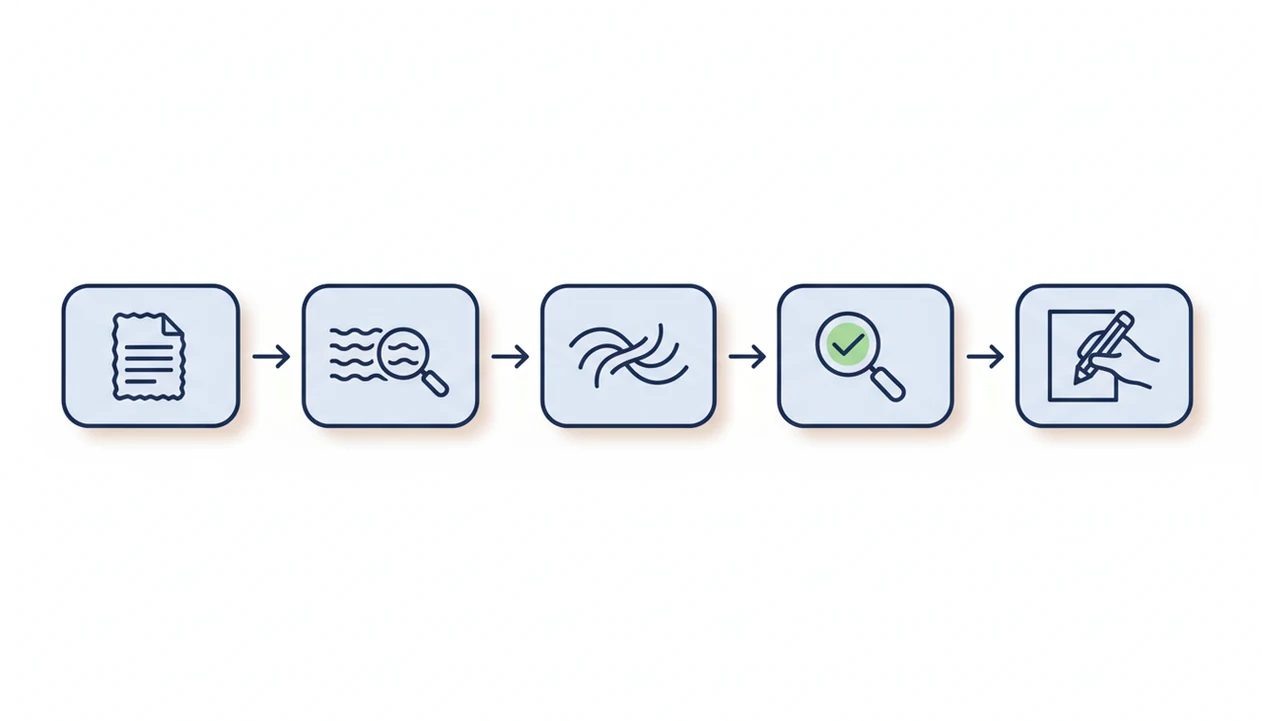
Use a humanizer to polish your drafts, not to hide fully AI-generated submissions. That boundary matters more than the app name.
Among U.S. teens who had heard of ChatGPT, 19% said they had used it for schoolwork in 2023, according to Pew Research Center (https://www.pewresearch.org/short-reads/2024/01/08/teens-and-chatgpt/). Pew also reported that 72% of U.S. adults had heard at least a little about ChatGPT and similar tools, while 18% had used them (https://www.pewresearch.org/short-reads/2023/08/28/growing-public-awareness-of-artificial-intelligence-chatgpt/). The pressure is real. So is the risk of overusing shortcuts.
Before submitting, check your school, employer, or client policy. Then review the output for factual accuracy, tone mismatch, and missing source notes. A pasted paragraph under detector results can look like a final answer, but it still needs judgment.
If the condition is “I wrote the draft, but it sounds flat,” then ACI is a practical fit because the humanizer step can polish tone after the built-in detector gives an initial read.
For policy questions, is using AI humanizer cheating is the better starting point than guessing from a detector score.
Limitations of Every AI Humanizer App for iPhone
Every AI humanizer app has workflow boundaries. ACI can reduce friction on iPhone, but it cannot remove the need for judgment.
- No app can guarantee compliance with school, employer, journal, marketplace, or platform rules.
- Embedded detectors may be less accurate than institutional systems such as Turnitin.
- Cloud processing can raise privacy, retention, and sensitive-data concerns.
- Heavy reliance may weaken your own writing habits over time.
- Humanized output can introduce factual errors, odd phrasing, or unsupported claims.
- Detector models update often; today’s lower score may not hold tomorrow.
- Aggressive paraphrasing can change legal, medical, financial, or technical meaning.
- Subscription tiers may limit word count, rescan volume, or access to stronger models.
- Some tools, including web options like chatgpt.com, quillbot.com, poe.com, and deepai.org, may require extra tab switching on mobile.
Use a humanizer as an editor, not an authority. For broader rewrite criteria, the AI humanizer vs paraphraser comparison explains where simple paraphrasing stops.