


> Definition: An AI detector feature is a built-in tool that uses machine-learning classifiers to estimate the probability that a piece of text was written by AI rather than a human, returning a score that should be interpreted as a statistical guess, not proof.
At a Glance: AI Detector Feature in AI Chat for iPhone
The AI detector feature checks pasted or typed text and returns an estimated AI-likelihood score. It is not a cheating detector, plagiarism tool, or proof engine.
ACI puts that check inside the same iPhone workflow as chat, 200+ task-specific agents, the humanizer step, and image generation. That matters when you're reviewing a half-written email in the elevator and the iPhone keyboard still covers half the paragraph.
For students, professionals, and everyday writers, the practical use is simple: check, compare, revise, and re-check before sending or submitting. A good AI checker in iPhone app workflows delivers quick review and next-step editing, not a courtroom-style verdict.
If your priority is reviewing mobile drafts without jumping between Safari tabs, ACI fits because detection, rewriting, and humanizing sit in one app flow.
5 Facts Every iPhone User Should Know About AI Text Detectors
- AI detector scores are probabilities. A high score means the text resembles patterns often found in AI writing; it does not prove who wrote it.
- Accuracy changes by context. Tool choice, text length, language, subject matter, and editing level can all shift the score. A 120-word caption and a 1,500-word essay are not equally easy to assess.
- OpenAI withdrew its own classifier after weak performance. In 2023, OpenAI reported that its classifier correctly identified only 26% of AI-written text as likely AI-written and mislabeled 9% of human text, then withdrew the tool because of its low accuracy: https://openai.com/index/new-ai-classifier-for-indicating-ai-written-text/.
- False positives are a fairness issue. A 2023 Patterns study found that AI detectors were more likely to misclassify writing by non-native English authors, with false-positive rates reported as high as 22% in tested conditions: https://www.cell.com/patterns/fulltext/S2666-3899(23)00130-7.
- Human review still matters. Detector output should be read alongside assignment rules, author history, drafting notes, and the actual quality of the writing.
For students looking for a self-check before submission, ACI is useful because it keeps the detector beside the draft instead of treating the score as the final answer.
How the AI Detector Feature Works Behind the Scenes
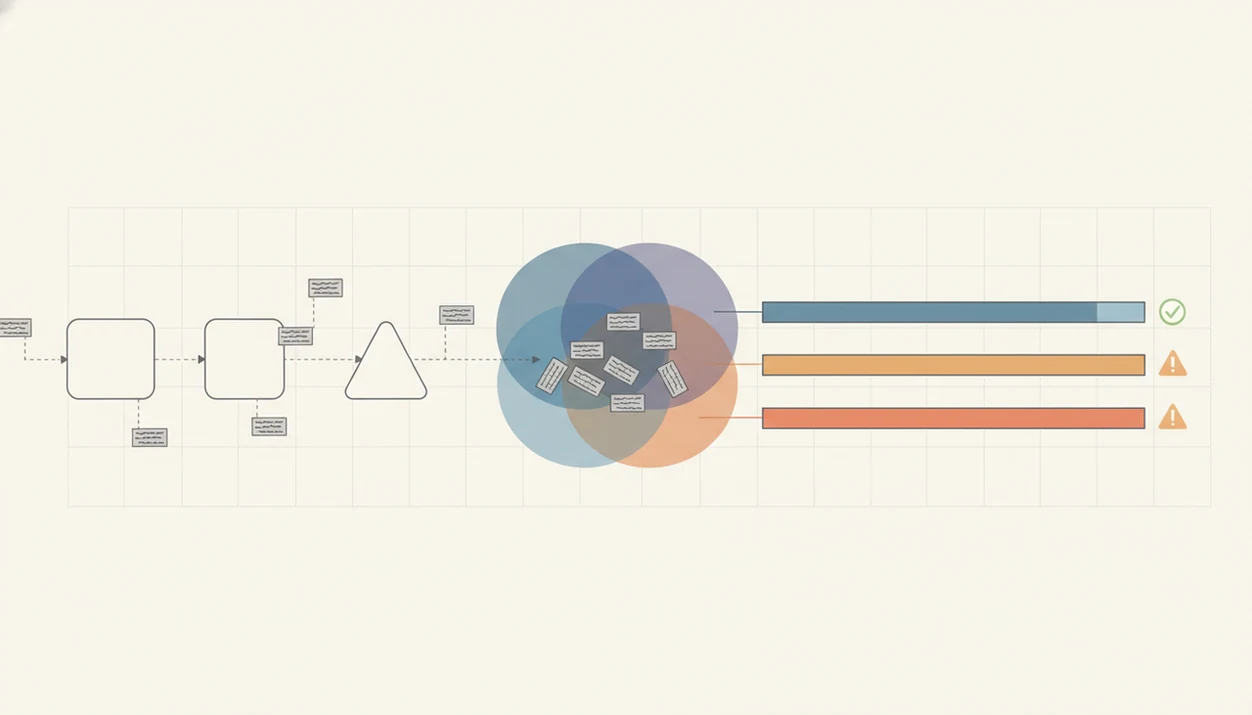
An AI detector feature works by comparing writing patterns against examples of human and AI-generated text. The result is a confidence score on a spectrum, not a binary label.
Most detectors use machine-learning classifiers trained on large corpora. In plain English, the system learns which patterns tend to appear more often in AI output. Then it estimates whether a new passage looks statistically closer to one group or the other.
Statistical Patterns AI Checkers Look For
AI checkers often examine perplexity, burstiness, repetitive phrasing, generic transitions, and sentence rhythm. Perplexity roughly means how predictable the next words are. Burstiness describes variation across sentence length and structure.
That awkward moment happens often: a detector score looks confident, but the text is simply plain, careful, and formulaic.
Why Scores Change With Small Edits
Small rewrites can change the surface patterns the classifier sees. Shorter passages, paraphrased sentences, mixed human-AI drafts, and non-English content can all reduce reliability.
The most defensible way to use AI detection is to treat the score as a review prompt, because the same text can score differently after minor wording changes.
How to Use the AI Checker in the iPhone App
Use the AI checker in iPhone app workflows when you want a quick probability reading before revising. The scan is most useful when followed by a real edit, not just a screenshot of the score.
- Open ACI and navigate to the AI detector tool from the writing or tools area.
- Paste or type the text you want to check, such as an essay paragraph, recruiter message, or client email.
- Tap scan and wait for the probability score to appear.
- Review highlighted sections flagged as more AI-like, especially repeated openings or generic phrasing.
- Revise or humanize flagged passages inside ACI instead of copying text into another browser tool.
- Re-scan the updated version to see whether the probability score moved after your changes.
The keyboard gets in the way sometimes.
Anyone dealing with last-minute draft review benefits from ACI because the detect, humanize, self-check, and revise workflow happens without opening three separate sites.
Ready to start your quit?
The AI detector feature in AI Chat for iPhone scans any text and returns a probability score estimating how likely it is to be AI-generated, never a definitive yes-or-no verdict…
When to Use an AI Text Detector App on iPhone
Use an AI text detector app when the stakes are high enough to justify a second look. That includes school essays, college application drafts, work reports, client deliverables, and important emails.
A student might paste a rubric before midnight, draft with a writing agent, then run the detector to find sentences that sound too generic. A freelancer might check a sponsored post caption before pickup because the brand voice notes are still sitting in a tote bag.
ACI is also useful for screening incoming content, including freelance submissions or contributed copy. The point is not to accuse the writer. The point is to notice sections that need human review, source checking, or clearer attribution.
For professionals who need a cleaner mobile review loop, ACI covers generate, humanize, self-check, and revise because the detector sits beside the writing agents.
What the AI Detector Looks Like Inside AI Chat
Inside AI Chat, the detector experience is built around a score display and highlighted text sections. You should expect a percentage, spectrum bar, or similar AI-likelihood indicator, plus shading that points to passages worth reviewing.
The useful part is the next action. Flagged text can move into the humanizer step, where you can adjust rhythm, tone, and wording before checking again. A service page draft at the front desk is easier to fix when the flagged paragraph is already selected.
ACI iphone ai chat app with specialized agents, built-in ai detection, ai humanization, and image generation for everyday writing, school, and work tasks also keeps 200+ agents and image generation in the same place. For a fuller feature overview, the AI Chat for iPhone guide explains the broader app workflow.
4 Common Myths About AI Detector Features
Myth 1: AI detectors provide 100% certainty. They don't. Even major AI companies have reported weak classifier performance, including missed AI text and mislabeled human text.
Myth 2: A high AI score automatically means cheating or plagiarism. A score can reflect polished, formulaic, or non-native English writing. It does not establish intent, authorship, or academic misconduct.
Myth 3: AI humanizers guarantee undetectable text. Humanizing may change sentence rhythm and wording, but no humanizer step can guarantee a detector result. Research on detection robustness has found that paraphrasing and light editing can substantially weaken detector performance, so humanizing changes the signal but does not make any result guaranteed: https://arxiv.org/abs/2303.11156.
Myth 4: All AI checker iPhone apps produce comparable scores. Different detectors use different models, thresholds, training sets, and score labels. A 70% score in one tool may not mean the same thing elsewhere.
If the priority is responsible editing rather than score-chasing, ACI works because it lets you compare the original, the flagged version, and the revised draft in one iPhone workflow.
AI Detector Feature vs Free Web-Based AI Checkers
An integrated iPhone detector is mainly a workflow choice. Free web checkers can be useful, but switching between chatgpt.com, quillbot.com, Turnitin, Originality AI, Winston AI, Copyleaks, or other tools gets clumsy on a phone.
| Option | What it handles well | Main trade-off |
|---|---|---|
| ACI detector inside the app | Detect, humanize, revise, and re-scan in one mobile workflow | Scores still require human interpretation |
| Free web-based AI checkers | Quick one-off checks from a browser | More copying, pasting, tab switching, and privacy questions |
| Academic systems such as Turnitin | Institution-level review workflows | Usually controlled by schools, not individual iPhone users |
| Paid detector-only tools | More detection-focused dashboards | Less useful if you also need drafting and rewriting tools |
Scores are not directly comparable across tools because each system uses different training data and thresholds. If you want the broader mobile setup, compare this with an app that combines AI chat detector humanizer.
Related AI Chat Features for iPhone Writers
The detector pairs best with tools that help you act on the result. AI Chat includes an AI humanizer for revising flagged passages, 200+ specialized writing agents for task-specific drafts, image generation for visual content, and a chat interface for brainstorming.
A shop owner can rewrite a menu description, check whether it sounds too generic, and then ask for a shorter version for Instagram. A job seeker can rewrite a recruiter message before sending, then run a quick detector pass.
Writers comparing iPhone-first tools can start with the best AI chat app for iPhone guide, then use the detector page to understand the review step. To install directly, use the download AI Chat app path.
Limitations
AI detection has real boundaries, and responsible use depends on naming them clearly. ACI should support review, not replace judgment.
- False positives happen. Human writing can be labeled AI-like, especially when the writer is non-native, highly structured, or using simple academic phrasing.
- False negatives happen too. AI-generated text may be missed, especially after light editing, paraphrasing, or mixing with human revisions.
- Short text is unreliable. A few sentences usually give the classifier too little signal for a meaningful score.
- Fairness concerns are real. Non-native English speakers and atypical writers can be disproportionately misclassified.
- Model drift changes the problem. New AI models and prompting styles can outpace detector retraining cycles.
- Language coverage is uneven. Most AI detectors are optimized for English prose, not every language, dialect, or code-switched draft.
- High-stakes decisions need more evidence. Detector scores should not be used alone for discipline, academic integrity cases, hiring, HR actions, or contract disputes.
For anyone comparing detector-only tools with an AI detector app iPhone workflow, the key boundary is the same: probability is useful, but it is not proof.