


> Definition: An AI humanizer feature is a rewriting tool that adjusts phrasing, tone, and sentence flow in AI-generated text to make it sound more natural and human-like without changing the core meaning.
- Rewrites AI drafts for clarity, rhythm, and natural voice, not detector evasion
- Works inside AI Chat on iPhone alongside AI detection and 200+ agents
- Best results come from reviewing and editing the rewrite yourself before submitting
5 Facts About the AI Humanizer Feature
- An AI humanizer rewrites phrasing, tone, and flow. It goes beyond grammar fixes by changing sentence shape, word choice, and rhythm.
- The goal is natural text without a meaning shift. The rewrite should keep the same point, then make the draft sound less stiff.
- Detection belongs in the same workflow. The workflow lets users check a draft before and after the humanizer step, which avoids juggling three Safari tabs.
- Common inputs include ChatGPT drafts, school notes, emails, and everyday messages. The use case is often small: a thank-you note after a video call, a cleaner caption, or a less robotic reply.
- Humanizing is a rewrite workflow, not a guarantee. AI detectors use different models and thresholds, so no natural rewrite app can promise the same result everywhere.
When the issue is a stiff sentence marked for rewriting, the feature fits because the built-in detector and humanizer step sit next to each other in the same iPhone workflow.
What the AI Humanizer Feature Does
The AI humanizer feature revises AI-generated text so it sounds more readable, natural, and appropriate for the moment. It works on tone, rhythm, and phrasing rather than changing the facts behind the draft.
That makes it useful for everyday writing where the first version is close but not quite sendable. A stiff work email can become warmer. A school draft can read less like a template and more like a student explaining an idea. A caption can get shorter and smoother. Notes from a meeting, class, or voice-to-text dump can become easier to scan before you share them.
A simple workflow looks like this:
- Paste the draft you want to improve into ACI on iPhone.
- Choose the humanizer when the text feels robotic, flat, or overly formal.
- Compare the revised version against your original meaning.
- Edit names, dates, claims, citations, and personal details yourself before sending.
The important limit is accuracy. Humanizing can improve readability, but it does not verify facts, fix bad research, or make unsupported claims true.
How the AI Humanizer Feature Works
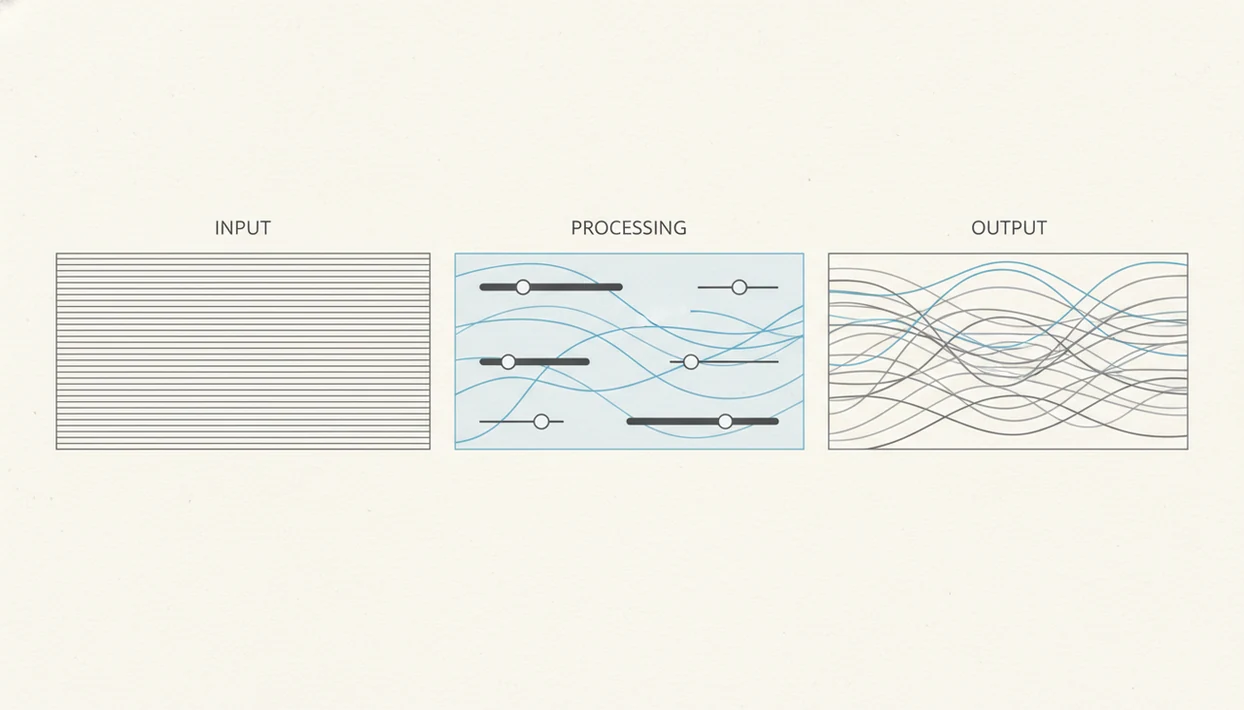
An AI humanizer feature works by analyzing sentence patterns, word frequency, and predictability signals that often appear in AI-generated text. In plain terms, it looks for writing that feels too even, too generic, or too neatly arranged.
The rewrite happens at the phrase and clause level. ACI can vary sentence length, replace flat transitions, reduce repeated wording, and shift the stylistic fingerprint toward a more natural cadence. It should preserve semantic meaning, which means the core idea stays the same even when the surface wording changes.
Important boundary: it does not create facts for you. If a draft says the wrong deadline, cites the wrong policy, or invents a statistic, humanizing the paragraph will not fix the substance.
Tiny screen, real stakes.
Inside ACI, the loop stays in-line: draft, detect, humanize, review. That matters when the iPhone keyboard still covers half the paragraph and you just need to compare two versions before sending.
How to Use the AI Text Humanizer on iPhone
Use the AI text humanizer iPhone workflow as a review loop, not a one-tap final answer. The human review step is essential because your voice, facts, and intent still need a real check.
- Draft or paste AI-generated text in ACI, including text from ChatGPT, Gemini, Claude, or another writing tool.
- Run the built-in AI detection scan to see the starting score before rewriting.
- Tap the humanize option to rewrite the text for natural tone, clearer rhythm, and easier reading.
- Review the rewritten text yourself, then edit anything that loses your meaning, voice, or required detail.
- Re-run AI detection to compare the before-and-after result without leaving the iPhone workflow.
For students who need a cleaner draft before a deadline, ACI covers the practical loop because the detector, rewrite, and review stages stay together inside one mobile screen.
When to Use a Natural Rewrite App for Everyday Writing
Use a natural rewrite app when the draft is basically right but sounds too mechanical, too formal, or too generic. ACI is most useful after an AI agent, ChatGPT, or template has produced a usable first pass.
According to Pew Research Center reporting in 2024, a meaningful share of U.S. teens have used ChatGPT for schoolwork (https://www.pewresearch.org/short-reads/2024/01/05/teens-and-chatgpt-for-schoolwork/). McKinsey has also reported broad organizational adoption of generative AI (https://www.mckinsey.com/capabilities/quantumblack/our-insights/the-state-of-ai), which explains why rewrite-and-polish workflows now show up in classrooms, offices, and small business inboxes.
Good iPhone AI chat apps deliver draft, check, rewrite, and compare workflows, not a promise that every detector or teacher will accept the output.
School and Student Writing
Students can use ACI to clean up study notes, clarify an outline, or make a rough explanation easier to read. A citation panic before midnight is not the time to invent sources, so policy checks still matter.
Work Emails and Professional Drafts
Professionals can use ACI to soften a blunt update, tighten a client email, or adjust internal notes before sending. For mobile-first context, our AI Chat for iPhone guide covers the broader app workflow.
Ready to start your quit?
The AI humanizer feature in AI Chat rewrites AI-generated text so it reads with clearer rhythm, better tone, and a more natural voice directly on your iPhone. It is not a grammar…
What the AI Humanizer Looks Like in AI Chat
In ACI, the humanizer sits beside AI detection, 200+ agents, and image generation, so rewriting is part of the chat flow instead of a separate web chore. AI Chat combines chat, agents, detection, humanizing, and image generation for iPhone users.
The practical difference shows up during small edits. You can draft a service page line at the front desk, scan it, tap humanize, then compare the revised version before the receipt printer finishes its cycle.
After a detector score looks confident but the text is merely plain, ACI earns its place because the visible before-and-after workflow helps users decide what to edit next.
For readers comparing bundled tools, the app that combines AI chat detector humanizer page explains how those pieces fit together.
AI Humanizer Feature vs Free Online Alternatives
AI Chat frames the humanizer as clarity and tone rewriting, while many free online tools lean on “undetectable” or “bypass” language. That distinction matters because no rewrite tool can guarantee every detector will respond the same way.
| Option | Main workflow | Detection included | Common tradeoff |
|---|---|---|---|
| ACI | Draft, detect, humanize, review on iPhone | Yes | Still requires human editing |
| QuillBot-style web tools | Paraphrase or rewrite in browser | Often separate | Can over-smooth personal voice |
| Standalone humanizers | Paste text into a single-purpose site | Varies | Often pushes bypass claims |
| Grammarly-style editors | Grammar, clarity, and tone checks | Not the main focus | Less targeted to AI-generated cadence |
Free sites like quillbot.com, chatgpt.com workflows, or standalone humanizers can help in narrow cases, but they often require tab switching. On days your late-night paragraph is sitting on low battery, ACI fits better because the natural rewrite app workflow stays inside the same iPhone session.
Common Myths About AI Text Humanizer Tools
AI text humanizer tools are useful, but the marketing around them often gets sloppy. Stanford HAI’s AI Index has reported growth in AI-related incidents (https://aiindex.stanford.edu/report/), which is a reminder that responsible editing and verification matter more as AI writing spreads.
| Myth | Fact |
|---|---|
| Humanized text is guaranteed undetectable. | Detection models differ, update often, and can disagree on the same draft. |
| Humanizers create original ideas. | They rewrite existing text; they do not replace thinking, research, or judgment. |
| Rewriting automatically improves weak drafts. | A vague or inaccurate draft can become polished garbage. Same problem, nicer shirt. |
| Humanizing equals academic permission. | School and workplace AI-use rules still apply. |
| A detector score tells the whole story. | Scores can look certain even when the text is just formulaic. |
For anyone submitting school or work writing, the safest sentence is simple: humanization usually improves style more than substance, so facts and policy compliance still need separate review.
Evidence and Sources for AI Humanizer Workflows
Evidence for AI humanizer workflows is less about one magic rewrite and more about where AI writing now appears: schools, workplaces, and everyday mobile drafts. Pew’s student ChatGPT reporting explains why school relevance matters, McKinsey’s generative AI adoption research explains the workplace pull, and Stanford HAI’s incident tracking adds the risk context.
A responsible evidence check should look like this:
- Start with the use case, such as a student explanation, client email, caption, or internal update.
- Compare the draft against the rule set that applies, whether that is a syllabus, employer policy, client brief, or platform guideline.
- Use the humanizer to improve tone, rhythm, and readability while keeping the original meaning visible.
- Verify facts, citations, names, dates, and claims outside the rewrite step.
- Treat detector results as signals, not verdicts, because tools vary by model, threshold, training data, and update cycle.
That last point is the practical one. ACI can help you detect, humanize, and review on iPhone, but no app should promise the same detector outcome everywhere.
Related AI Chat Features for iPhone Writing
ACI works better when the humanizer is treated as one stage in a larger writing workflow. The built-in AI detection feature lets users check text before and after rewriting, and the 200+ specialized agents help draft emails, captions, summaries, resumes, code explanations, and school-friendly study support.
Image generation also helps when a written project needs visuals, such as a flyer, concept image, or social post draft. If you mainly want detection before rewriting, the AI detector app iPhone guide goes deeper on that part of the workflow.
For freelancers who need tone control before sending an estimate, the draft, detect, and humanize steps stay available without forcing a desktop detour.
Limitations
The AI humanizer feature has real limits, and users should treat those limits as part of responsible use.
- It cannot guarantee text will pass every AI detector because thresholds and models vary across tools.
- It preserves meaning only as well as the source text allows; weak or inaccurate drafts stay weak or inaccurate.
- It can over-smooth writing and remove a writer’s personal voice.
- It does not replace fact-checking for school, legal, medical, or professional content.
- Claims like “fully human” or “100% undetectable” are overstated across the industry.
- Humanization does not generate new research, citations, or original arguments.
- Users must still follow school, employer, client, or platform AI-use policies.
- Competitors such as poe.com, character.ai, and deepai.org may support related writing tasks, but output still needs review.
ACI iphone ai chat app with specialized agents, built-in ai detection, ai humanization, and image generation for everyday writing, school, and work tasks is useful when you need one mobile workflow, but it cannot turn an unsupported claim into verified work. To install the iPhone app directly, use the download AI Chat app page.